

If you’ve landed on this page, you’re probably trying to figure out one specific thing about Surfshark OpenVPN — whether it’s router setup, updating the app, or just wondering if a free trial actually exists. I put together this guide to answer exactly those questions, in plain language, without the fluff most VPN guides pad their pages with.
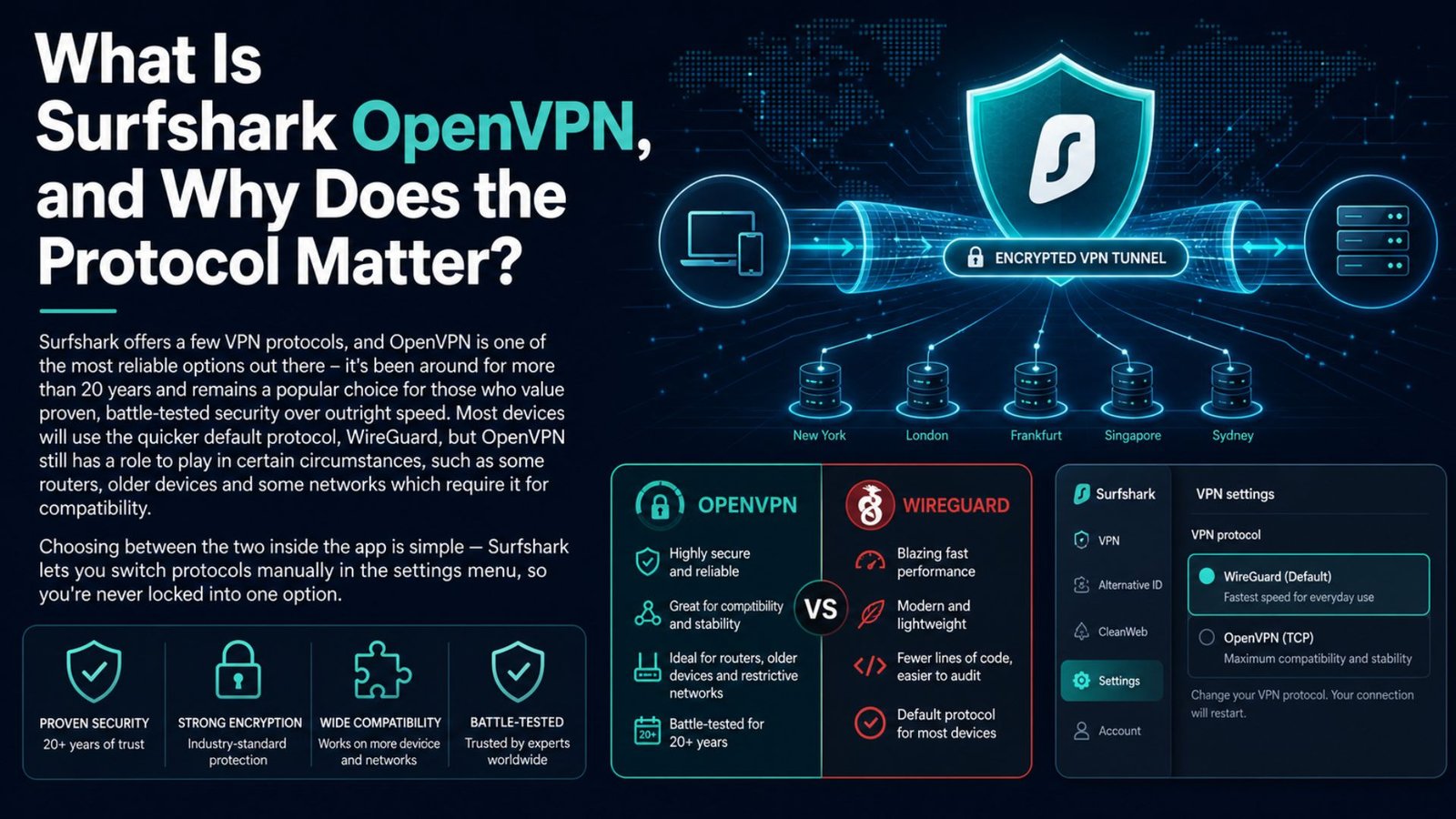
Surfshark offers a few VPN protocols, and OpenVPN is one of the most reliable options out there – it’s been around for more than 20 years and remains a popular choice for those who value proven, battle-tested security over outright speed. Most devices will use the quicker default protocol, WireGuard, but OpenVPN still has a role to play in certain circumstances, such as some routers, older devices and some networks which require it for compatibility.
Choosing between the two inside the app is simple — Surfshark lets you switch protocols manually in the settings menu, so you’re never locked into one option.
This is one of the most common questions people ask before committing to a VPN, so let’s answer the question directly: can I put Surfshark on my router? Yes, and it’s actually one of the more practical ways to use a VPN if you want all devices on your home network protected without installing the app individually on each device. Here’s the general process for setting up Surfshark OpenVPN on a compatible router:
Not every router supports this out of the box, so if yours doesn’t come with compatible firmware, flashing it with DD-WRT or a similar third-party firmware is usually the workaround – though that’s a more advanced step worth researching carefully before attempting.
Wondering how to update Surfshark on your device? The process varies slightly depending on your platform, but it’s rarely complicated. On desktop, Surfshark will usually prompt you automatically when a new version is available and updating is usually a one-click process from within the app itself. If you don’t see a prompt, checking the official Surfshark website for the latest installer is the most reliable manual method.
On mobile, updates come through the App Store or Google Play like any other app — enabling automatic updates in your device settings means you’ll rarely have to think about it.
Keeping Surfshark updated matters more than people realize. Security patches, protocol improvements, and bug fixes are rolled out regularly, and using an outdated version could mean missing out on speed improvements or, in rare instances, security fixes.
Let’s clear this one up: does Surfshark have a free trial? Surfshark doesn’t have a traditional free trial on every platform, but there are a couple of ways to test the service with minimal risk. Every paid plan comes backed by a 30-day money-back guarantee, which functions as a full-featured trial in practice — you can use the complete service and request a refund if it’s not the right fit.
On certain mobile platforms, short trial periods have also been made available directly through app store listings, though availability can shift by region and isn’t guaranteed everywhere.
The best way is to check the current deal on Surfshark’s official site before you sign up, as trial and promotion terms tend to change throughout the year.
Surfshark DNS servers are part of what keeps your browsing private even beyond the encrypted tunnel itself. When you connect to Surfshark, your DNS requests — the lookups that translate website names into IP addresses — are routed through Surfshark’s own private DNS servers rather than your ISP’s. That matters because DNS requests can otherwise leak information about your browsing activity even while a VPN is technically active.
You’ll find Surfshark’s DNS leak protection turned on by default in the app, so most users won’t need to manually set anything up. If you’re doing advanced configurations, such as setting it up on your router as we described above, you may have to manually enter Surfshark’s DNS server addresses. You can find them in your account dashboard, as well as your OpenVPN config files.
Surfshark Dedicated IP: When You Need a Static Address Surfshark dedicated IP is an add-on that gives you a static, private IP address instead of sharing one with other users on a server. This matters for certain scenarios: logging into banking or work accounts that flag shared IPs as suspicious, avoiding CAPTCHA loops because of heavy traffic on shared servers, or ensuring consistent access to services that only allow specific IP addresses.

It’s an optional add-on, rather than something bundled by default, so if your use case doesn’t require a fixed address, the standard rotating server network is fine for most everyday browsing and streaming. If you’re looking to save on your subscription, Surfshark cashback deals do occasionally surface through affiliate and cashback platforms, on top of Surfshark’s own long-term plan discounts.
These aren’t guaranteed or permanent — availability depends on the specific cashback platform and current promotional partnerships — so it’s worth checking current offers before purchasing rather than assuming a specific rate applies.
Combining a longer subscription term with an active cashback offer is generally how users get the lowest effective monthly price.
Getting comfortable with Surfshark’s OpenVPN setup, router configuration, and related features is more approachable than it first appears, even if a few steps require some patience — particularly router setup for anyone without prior networking experience. The 30-day money-back guarantee removes most of the risk of trying it out, and features like DNS leak protection and dedicated IP options give the service real flexibility beyond basic browsing protection.
For anyone deciding whether it’s the right fit, testing OpenVPN performance directly on your own network during that refund window is the most reliable way to know for sure.
It depends on your router model. Certain routers have open VPN built into them, and some require third-party firmware like DD-WRT or Tomato to enable it. The best way to begin is to compare your router’s specs with Surfshark’s router compatibility list.
On desktop, if the in-app prompt doesn’t appear, checking Surfshark’s official website for the most recent version of the installer is a sure-fire way to do it. On mobile, updates come through your device’s app store, and enabling automatic updates in your settings avoids the issue entirely going forward.
The biggest no-risk option with Surfshark is the 30-day money-back guaranty, not a free trial. Some mobile platforms have allowed short free trial periods directly through app store listings, but this depends on the region and isn’t always available.
Regular servers assign you an IP address that’s shared with other users in the same location, which is fine for most browsing and streaming. A dedicated IP assigns you a private, static address instead – useful specifically for banking logins or services that flag or block shared VPN IPs.