

Landing page builders tend to fall into two camps: expensive, feature-heavy platforms built for agencies with big budgets, or bare-bones tools that feel like a step above a template website. This Landingi review looks at where the platform actually lands between those two extremes in 2026, based on current pricing, real user feedback, and a direct comparison against the category’s bigger names.
Short version: Landingi punches noticeably above its price point, and the gap between what you pay and what you get is the main reason it keeps showing up in comparisons against far more expensive tools.
Landingi is a landing page builder that’s evolved from a simple drag-and-drop tool into something closer to a full landing page and lead management platform. The core pitch is straightforward: let marketers build, launch, and optimize conversion-focused pages without needing a developer for every small change.
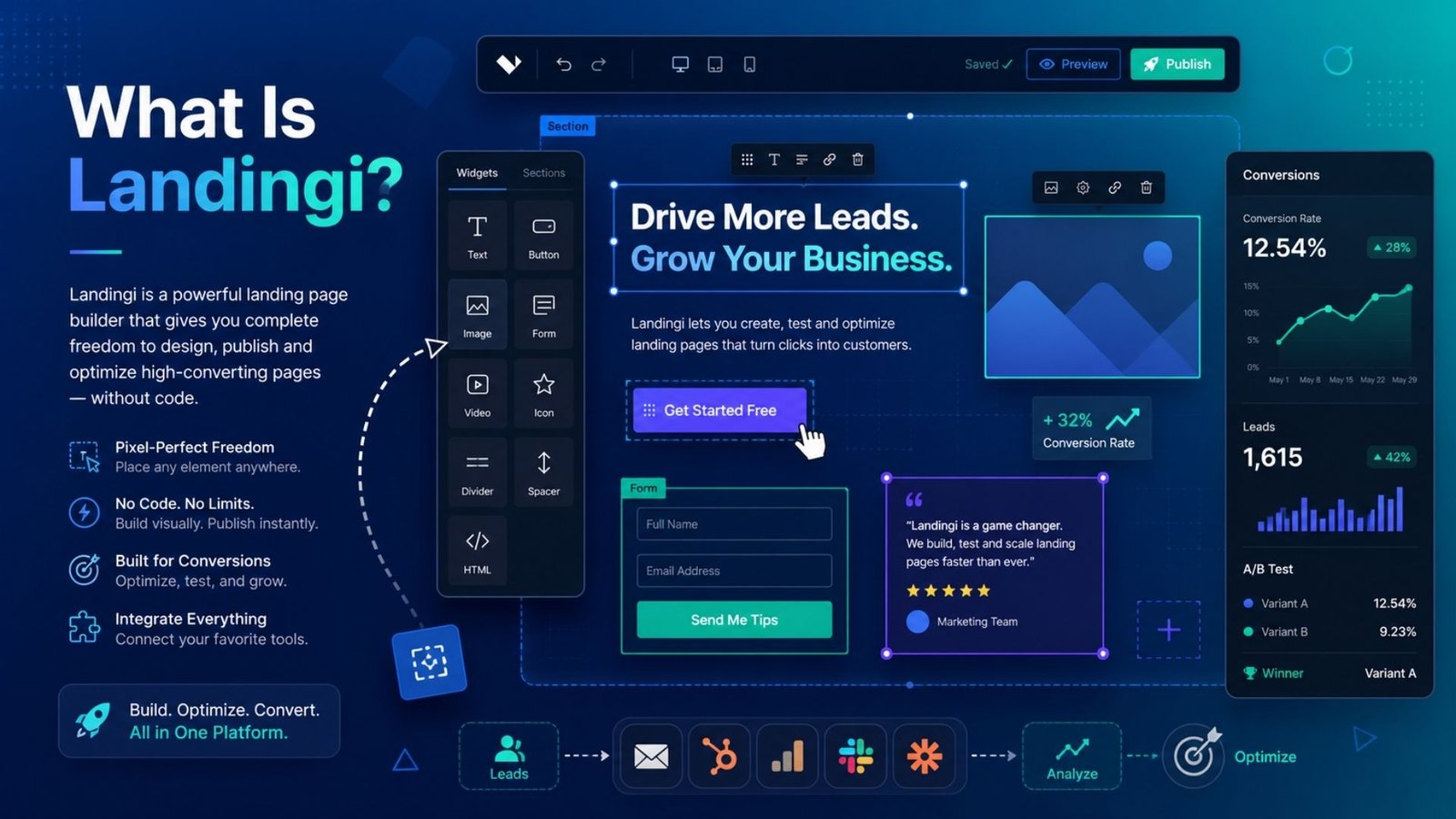
The editor works on a pixel-based, free-form canvas rather than the rigid grid layouts you get with blog-style builders like Elementor. That distinction matters more than it sounds — it means you can place elements exactly where you want them, closer to how a design tool like Photoshop or Canva behaves, rather than fighting a content-management system’s built-in constraints.
Landingi pricing is one of the most searched aspects of the platform, and for good reason — the entry point undercuts most direct competitors by a wide margin. The most common starting plan runs around $29 to $39 per month on annual billing, covering roughly 10 landing pages, a set monthly visitor allowance, one custom domain, and access to the AI page generator.
Stepping up to Professional or Optimize-tier plans, which add A/B testing and higher traffic caps, typically runs $49 to $119 per month. Agencies needing subaccounts, unlimited pages, and higher visit limits can expect Agency-tier pricing in the $149 to $299 per month range, with enterprise pricing running higher still for the largest deployments.
For comparison, Unbounce starts around $99 per month and Instapage begins even higher — meaning a small business choosing Landingi’s entry plan can save several hundred dollars a year while still getting a genuinely capable feature set. The one pricing detail worth watching closely is the visitor cap on mid-tier plans — if a campaign goes viral or a paid ad push performs better than expected, you can hit that ceiling faster than you’d expect, so it’s worth checking your projected traffic against the plan limits before committing.
Pixel-Perfect Drag-and-Drop Editor A free-form canvas editor that lets you place elements exactly where you want, rather than working inside a rigid grid structure.
Smart Sections Build a reusable block — a pricing table or testimonial section, for example — once, then reuse it across dozens of pages. Updating the original updates every page using it automatically, which is a genuine time-saver for agencies managing many client pages at once.
AI Page Generator Generates a usable page structure and starting copy from a prompt, which speeds up the blank-page problem considerably even if you still refine the output yourself.
EventTracker Built-in behavioral analytics that track micro-conversions — button clicks, scroll depth, form interactions — without needing custom tracking code.
Server-Side Tracking Available on higher-tier plans, this helps campaigns stay accurate as browser-based tracking becomes less reliable due to privacy restrictions and ad blockers.
400+ Templates A large template library covering most common campaign types, reducing the time needed to get a first draft live.
The most natural comparison for anyone researching Landingi is against Unbounce and Instapage, since all three compete directly for the same small-to-mid-market customer. The honest difference comes down to price versus polish.
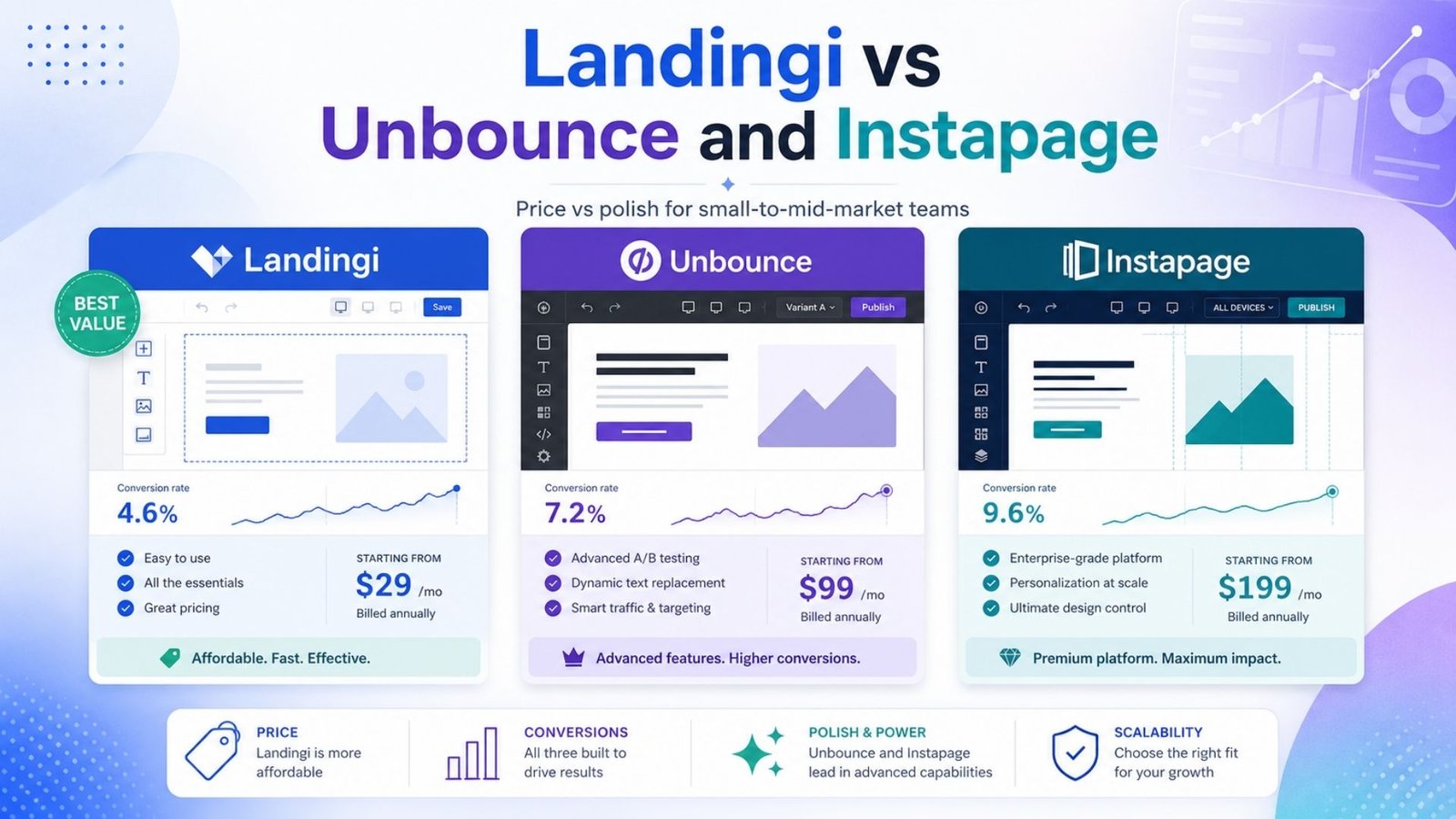
Unbounce’s Smart Traffic AI feature, which automatically routes visitors to the best-converting page variant, is genuinely more advanced than what Landingi offers at a comparable tier — and if you’re running high-traffic paid campaigns where a fraction of a percentage point in conversion rate translates to real revenue, that edge can justify Unbounce’s higher price. Instapage similarly leans into deeper personalization and enterprise-grade features, at a cost that reflects it.
For most small businesses and early-stage marketing campaigns, though, those extra layers of sophistication go largely unused. Landingi covers the core job — building, launching, and optimizing conversion-focused pages — at a fraction of the cost, which is exactly why it keeps getting recommended as the budget-conscious pick in side-by-side comparisons.
Landingi’s sweet spot is small-to-medium business marketing teams and digital marketing consultants running lead-generation campaigns for multiple clients. If you’re a media buyer managing Google Ads campaigns and need to launch and iterate on landing pages quickly without looping in a developer for every change, this is exactly the workflow Landingi is built around.
Agencies get particular value from Smart Sections, since managing dozens of client pages with shared, reusable components saves real time compared to editing each page individually. Where Landingi becomes less of a fit is at the enterprise end — very large organizations with complex personalization needs or massive traffic volumes will likely find themselves running into feature ceilings that Unbounce or Instapage don’t have.
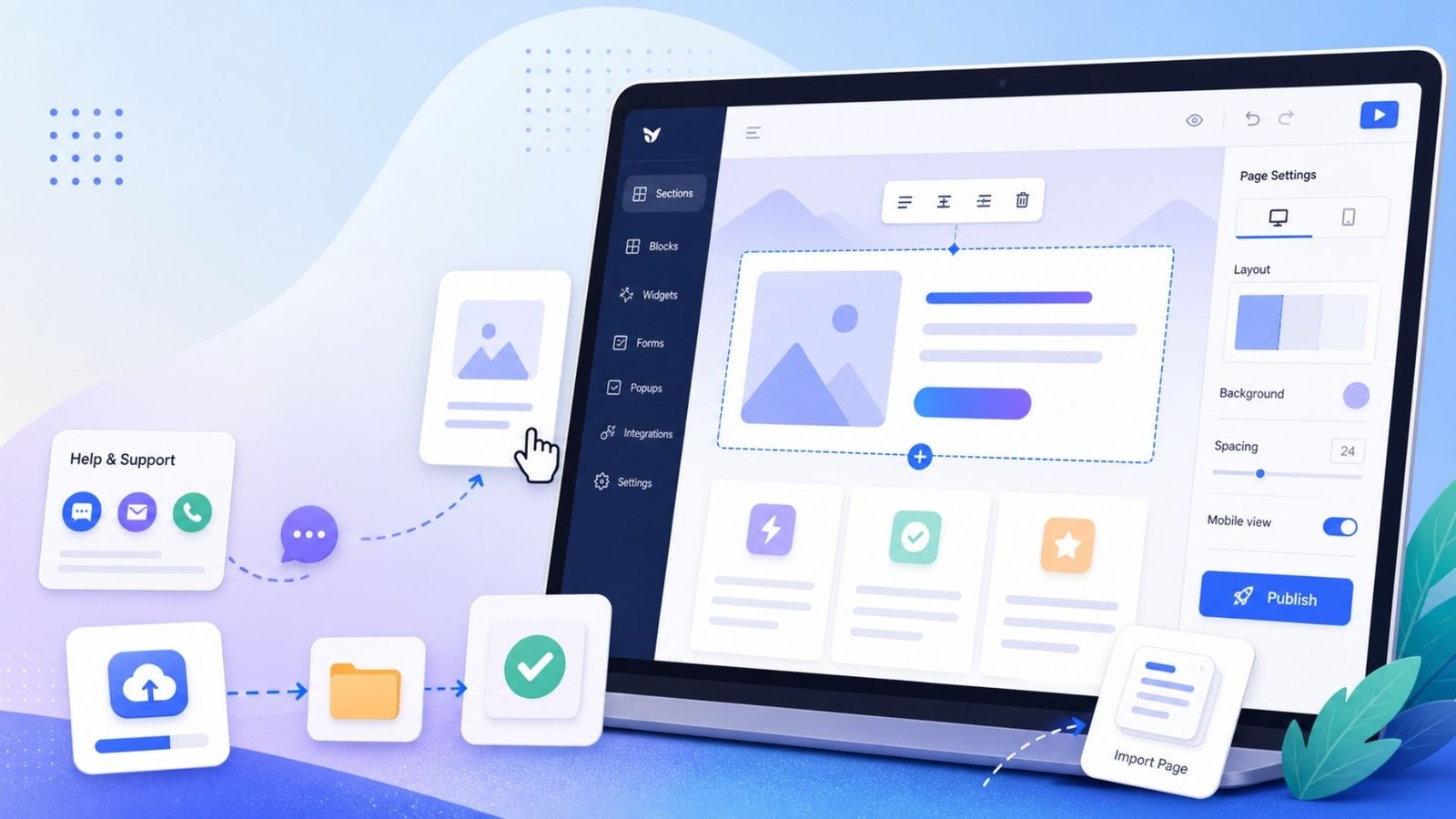
The learning curve is one of the more consistently praised aspects across user feedback. Most users report being able to build a working landing page within a couple of hours of signing up, particularly if they’ve used any page builder before. The interface draws comparisons to design tools like Canva more than traditional CMS platforms, which helps explain why marketers without technical backgrounds tend to pick it up quickly.
Support is available through chat, email, and a fairly comprehensive knowledge base, and free migration services are offered for anyone moving existing pages over from Unbounce, Leadpages, or custom-built HTML pages.
What works well:
Where it falls short:
Landingi earns its reputation the practical way — by covering the core landing page building and optimization workflow at a price point that undercuts nearly every serious competitor. It’s not the most feature-dense option in the category, and larger enterprise teams may eventually outgrow it, but for small businesses, marketing consultants, and agencies who want a capable builder without an Unbounce-sized bill, it remains one of the smartest picks heading into 2026.
Yes, noticeably. Landingi’s entry plan starts around $29-39/month compared to roughly $99/month for Unbounce and $79/month and up for Instapage, which can add up to significant annual savings for a small business.
Landingi doesn’t currently offer a permanently free plan — new users get a 14-day free trial to test the platform before committing to a paid tier.
Yes. The drag-and-drop builder supports custom domains, UTM tracking, and integrations with major CRM and email tools, making it realistic for marketers to launch and optimize campaigns independently.
Yes, particularly because of Smart Sections — reusable page blocks that update across every page using them at once, which saves significant time compared to editing pages individually.