

8.5

EXPERT SCORE

🌐 Web Hosting
🏆 #1 Ranked 2026

DigitalOcean Review 2026: Best Cloud Hosting?

by, BestDigiTools Team
Updated August 17, 2026
⏱ 8 min read
0$

Starting /mo

99.9%

Uptime SLA

99.95

Avg Speed

24/7

Live Support

Our Verdict

Built for Developers, Not for Beginners

DigitalOcean strips cloud hosting down to what developers actually want — clean UI, honest pricing, and infrastructure that doesn't require a certification to touch. It won't out-muscle AWS on raw feature count, and it won't out-price Hetzner on the bill, but it sits in a sweet spot almost nobody else occupies: powerful enough for real production apps, simple enough that a solo founder can run it without a DevOps team. If you want cPanel-style point-and-click hosting, look elsewhere. If you want control without the AWS learning curve, this is close to as good as it gets.

  • Clean, genuinely intuitive dashboard — deploy a server in under a minute
  • Transparent, predictable pricing with per-second billing (no surprise invoices)
  • 99.99% uptime SLA backed by real service credits, not just a marketing line
  • Best-in-class documentation and tutorial library, even for non-customers
  • Free managed Kubernetes control plane, six managed database engines, and 200+ one-click apps
  • No cPanel or point-and-click hosting — you're expected to know your way around a server
  • Raw CPU performance trails Vultr, Linode, and Hetzner in independent benchmarks
  • Support response time depends heavily on your plan — free tier can mean waiting on tickets
  • Real-world bills climb fast once backups, load balancers, and bandwidth overage stack up
  • No phone support and no money-back guarantee

Performance Scores

Overall Score
84%
A dependable, developer-first cloud platform that trades raw horsepower for simplicity and predictable billing — the right call for most small-to-mid production workloads.
Speed & Performance
74%
Solid and consistent rather than blazing fast. TTFB benchmarks show stability across regions, but head-to-head CPU tests routinely put DigitalOcean a step behind Vultr and Linode on the same money.
Uptime Reliability
92%
92% The 99.99% SLA isn't just a number on a pricing page — DigitalOcean backs it with service credits when they miss it, and that guarantee covers network, power, and virtual server availability per Droplet.
Customer Support
64%
Ticket quality is generally good once you reach a human, and the community forums fill a lot of gaps. But free-tier users can wait a while during incidents, and premium support tiers cost extra to unlock faster response times.
Ease of Use
90%
This is where DigitalOcean earns its reputation. The dashboard, the CLI, and the API are all built with the same philosophy: get out of the developer's way. Spinning up a server takes minutes, not a manual.
Value for Money
80%
Cheaper than AWS or GCP for comparable compute, and the pricing is far easier to predict. It's not the cheapest VPS option on the market — European budget providers undercut it — but you're paying for US network quality and a support SLA those providers don't offer.

Key Features

Droplets (Virtual Machines)
SSD- and NVMe-backed virtual servers billed per second, with Basic, Premium AMD, Premium Intel, CPU-Optimized, and Memory-Optimized tiers covering everything from side projects to production workloads.
App Platform
A fully managed PaaS layer — connect a GitHub or GitLab repo and DigitalOcean handles builds, deployment, SSL, and scaling, with a genuinely useful free tier for static sites.
Managed Databases
Six database engines available as managed clusters, with automated backups, failover, and standby nodes for high availability — no manual patching required.
DigitalOcean Kubernetes
A free control plane paired with standard Droplet pricing for worker nodes, making container orchestration accessible without an enterprise budget.
Marketplace & 1-Click Apps
Over 200 pre-configured apps — WordPress, Docker, GitLab, Ghost, and more — deployable in a couple of clicks instead of a manual server setup.
doctl CLI, API & Terraform Support
Full infrastructure-as-code support, so teams can script deployments, automate scaling, and manage everything without touching the dashboard.

Pricing Plans

Plan
Price/mo
Price/mo
Price/mo
Best For
AI/ML

Inference
$0.05

GPU Droplets
$1.91

Additional GPU
Prices vary

ML developers, Startups

Storage

$5

$0.15

$10

Backups, Media, Static Assets

Networking

$0

$12

$0

Multi- Server. Load Balancing Teams

Detailed Review

DigitalOcean Review 2026: Best Cloud Hosting?

If you’ve spent any time researching cloud hosting, you’ve probably run into the same name over and over: DigitalOcean. It’s not the biggest player in the space — AWS and Google Cloud dwarf it in raw market share — but among developers, small SaaS teams, and agencies who don’t want to hire a full-time DevOps engineer, it’s earned a kind of quiet loyalty that’s hard to fake. This review breaks down what DigitalOcean actually does well in 2026, where it falls short, and whether it’s still worth your money.

We’ve used it for client projects, tested the support response times ourselves, and dug through independent benchmarks so you’re not just getting marketing copy repackaged.

What Is DigitalOcean, Exactly?

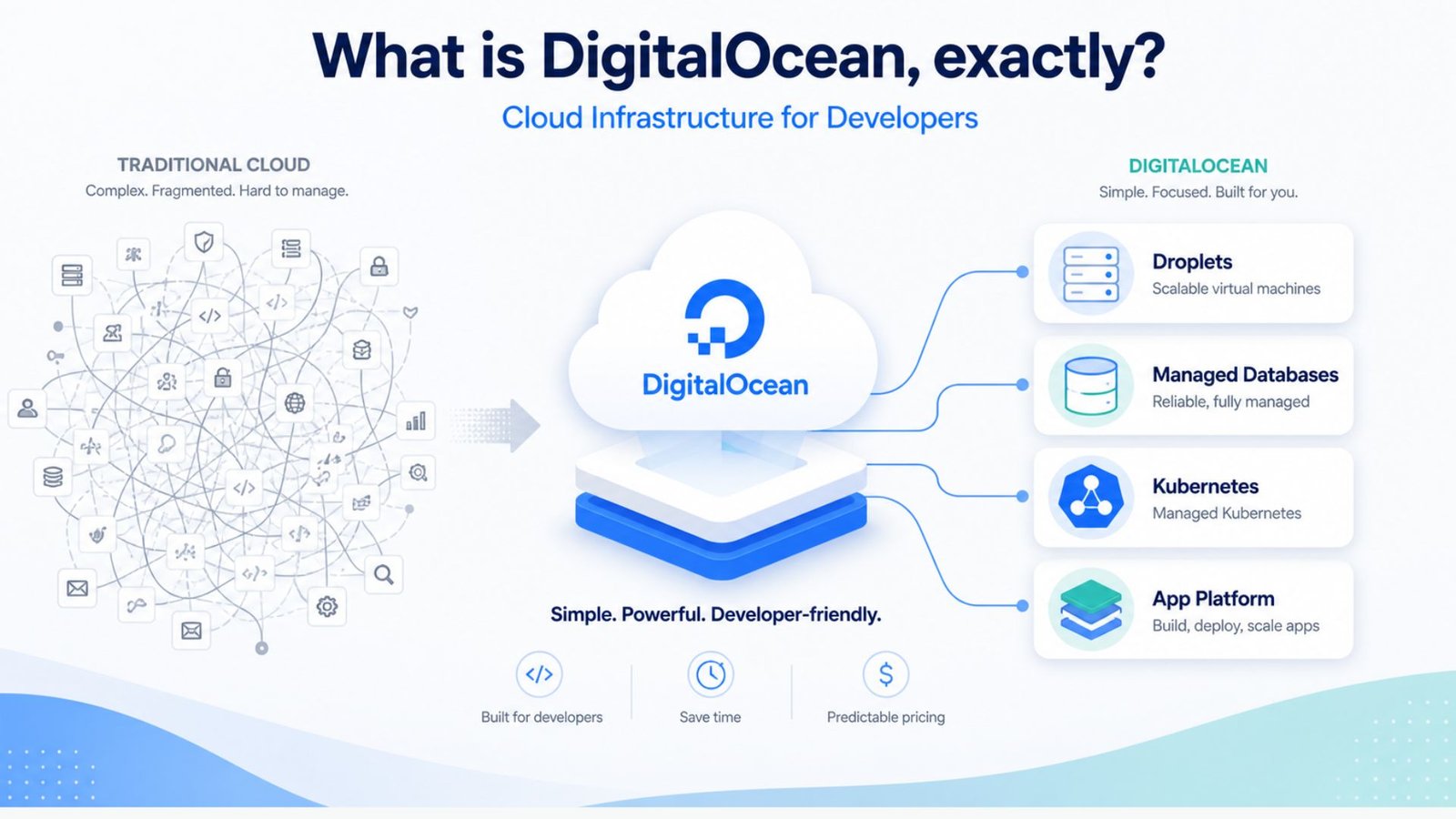
DigitalOcean is a cloud infrastructure provider built around one core idea: give developers real, production-grade servers without forcing them to learn an entirely new console just to launch a website. Where AWS can feel like flying a 747, DigitalOcean feels more like driving a well-tuned car — fewer buttons, but you can still get where you’re going fast.
 

What Is DigitalOcean, Exactly?

At its core, the platform offers virtual servers called Droplets, along with managed databases, a Kubernetes service, and an App Platform for teams that don’t want to touch a server at all. It’s used by everyone from solo indie developers to mid-sized startups running full production stacks.

Hosting on DigitalOcean: What the Process Actually Looks Like

A lot of people searching for hosting on DigitalOcean are trying to figure out if it’s realistic for a non-technical business owner, or strictly a developer’s tool. Here’s the honest answer: it’s built for people comfortable with a command line, but it’s more approachable than most cloud platforms.

When you’re figuring out how to host website on DigitalOcean, you generally have two paths:

  1. The manual route — spin up a Droplet, install your web server (usually Nginx or Apache), configure your domain, and manage everything yourself. This gives you full control but comes with real responsibility: security patches, backups, and uptime monitoring are all on you.
  2. The App Platform route — connect your GitHub or GitLab repository and let DigitalOcean handle deployment, SSL certificates, and scaling automatically. This is a much smoother experience for teams that want cloud power without server administration.

For most small businesses and freelancers, the App Platform is the better starting point. You get a lot of DigitalOcean’s reliability without needing to become a Linux administrator overnight.

DigitalOcean Managed Database Pricing: What You’ll Actually Pay

One of the more searched questions we see is around DigitalOcean managed database pricing, and for good reason — database costs are where a lot of budgets quietly blow up.
DigitalOcean Managed Database Pricing: What You'll Actually Pay

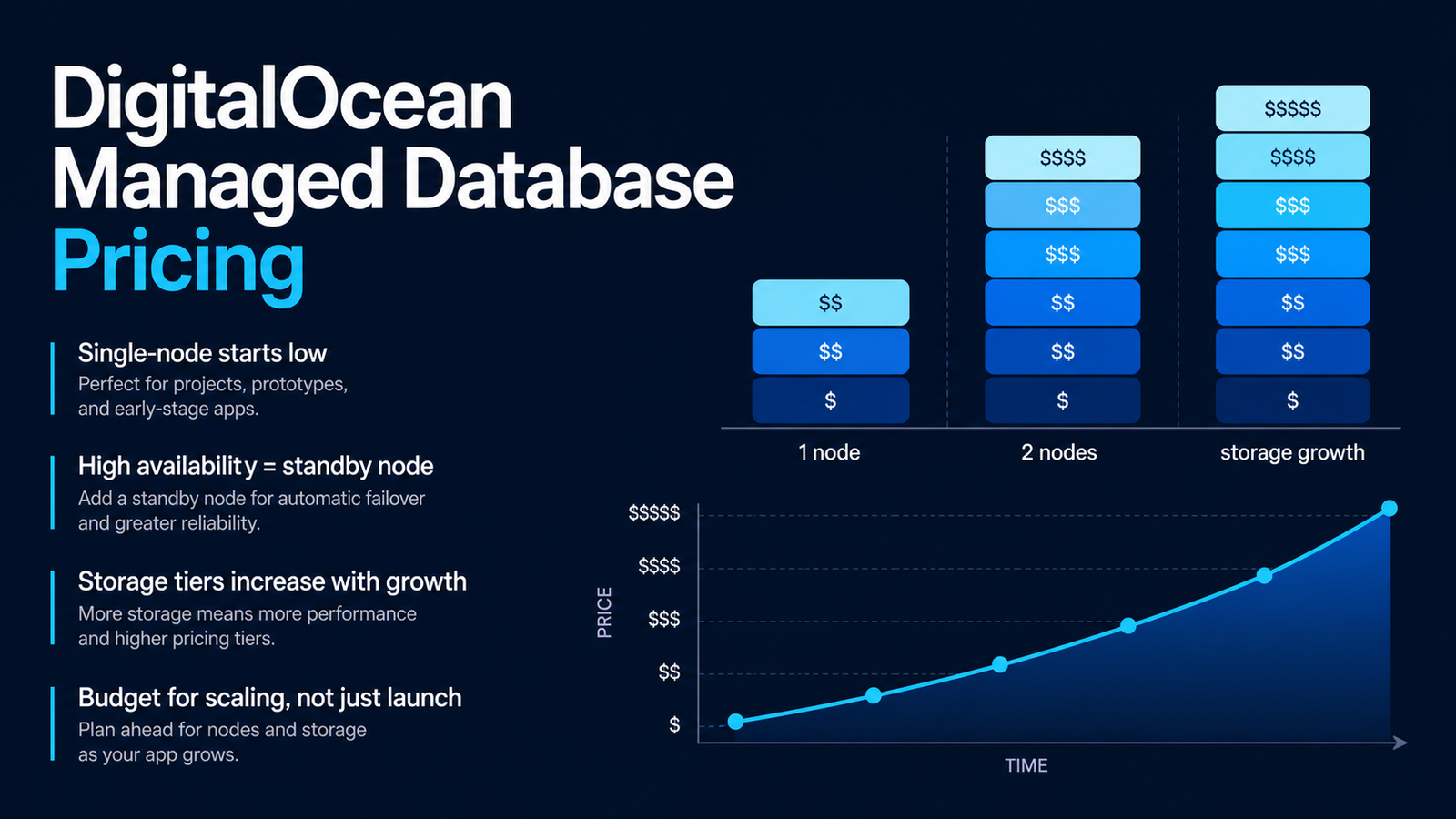
Managed databases on DigitalOcean start at a relatively low entry point for a single-node setup, but the real cost depends on a few things:

  • Engine choice — PostgreSQL, MySQL, Redis, and others are priced slightly differently
  • Node count — adding a standby node for high availability roughly doubles your monthly cost, since you’re paying for two full nodes instead of one
  • Storage tier — pricing moves in increments as your storage needs grow, so a database that starts cheap can climb steadily as your app scales

The honest takeaway: budget for growth, not just your launch-day numbers. A lot of teams get surprised six months in when their database bill has quietly crept up because nobody accounted for the standby node they added for reliability.

Setting Up DigitalOcean DNS Servers and Nameservers

If you’re moving a domain over, you’ll need to understand DigitalOcean DNS servers and how DigitalOcean nameservers work — and this trips up a surprising number of first-time users.

Here’s the short version: DigitalOcean provides its own set of nameservers (typically three), and once you point your domain registrar to them, DNS management happens entirely inside the DigitalOcean dashboard. This means you can manage A records, CNAME records, and MX records for email all in one place, without bouncing between your registrar and your host.

A few practical tips we’ve picked up from real projects:

  • Propagation can take anywhere from a few minutes to 24-48 hours depending on your registrar’s TTL settings — don’t panic if it’s not instant
  • Always keep a backup of your existing DNS records before switching nameservers, in case something doesn’t propagate correctly
  • If you’re running email through a third-party provider, double-check your MX records survive the switch — this is the single most common mistake we see

DigitalOcean Cloudflare Integration: Should You Use Both?

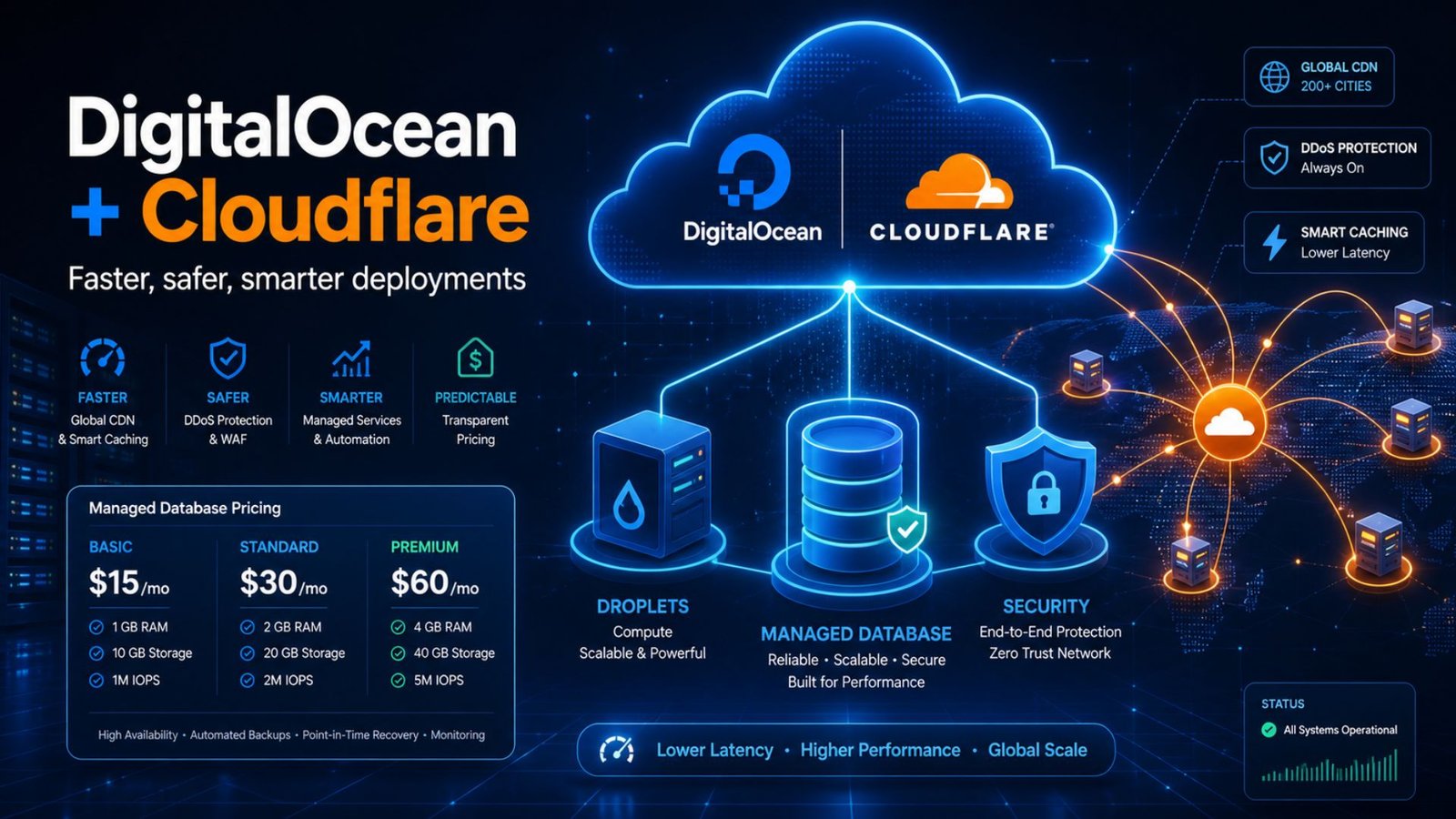
A common question we get is whether pairing DigitalOcean Cloudflare setups actually makes sense, or if it’s redundant. Short answer: it makes a lot of sense, and most serious deployments use both together.

DigitalOcean handles your actual server infrastructure — computing power, storage, database hosting. Cloudflare sits in front of that as a content delivery network and security layer, caching static assets closer to your visitors and absorbing malicious traffic before it ever reaches your Droplet.

The combination gives you:

  • Faster load times for visitors far from your DigitalOcean data center
  • DDoS protection that a raw Droplet doesn’t have on its own
  • Free SSL certificate management through Cloudflare, on top of anything DigitalOcean already offers

If you’re running a WordPress site or any traffic-sensitive application, this pairing is close to a best practice at this point, not a nice-to-have.

Checking DigitalOcean Status and Uptime

Before committing to any host, it’s worth knowing how to actually check DigitalOcean status when something feels off. DigitalOcean publishes a public status page that tracks incidents across every region and product — Droplets, App Platform, managed databases, Spaces, and more — in real time.
Checking DigitalOcean Status and Uptime

This matters more than people think. When your site goes down, the first move should always be checking whether it’s a DigitalOcean-wide incident or a problem specific to your own configuration. The status page separates the two clearly, which saves a lot of wasted troubleshooting time on a Saturday night.

DigitalOcean backs its core services with a 99.99% uptime SLA, and unlike some budget hosts, it actually issues service credits when that promise isn’t met — not just an apology email.

DigitalOcean Pros and Cons

What works well:

  • Genuinely simple dashboard and setup process compared to AWS or GCP
  • Transparent, predictable pricing with per-second billing
  • Strong documentation — arguably the best tutorial library in the industry
  • Reliable uptime, backed by a real SLA with credits attached

Where it falls short:

  • No traditional cPanel-style control panel — you’re expected to be comfortable with some technical setup
  • Support speed varies a lot depending on your plan tier
  • Real-world bills climb once backups, load balancers, and database standby nodes get added
  • Raw performance benchmarks trail a few competitors on pure CPU speed

Final Verdict: Is DigitalOcean Worth It?

For developers, freelancers, and small teams who want real cloud infrastructure without an AWS-sized learning curve, DigitalOcean remains one of the smartest defaults available in 2026. It’s not the cheapest option on the market, and it’s not built for someone who wants a completely hands-off, point-and-click hosting experience. But for anyone willing to learn the basics, the combination of honest pricing, strong documentation, and a real uptime guarantee makes it hard to beat.

Frequently Asked Questions

How do I check DigitalOcean status during an outage? Visit DigitalOcean’s public status page, which tracks live incidents across every region and product separately. This tells you within seconds whether an issue is on DigitalOcean’s end or specific to your own server setup.

Is it hard to host a website on DigitalOcean for a beginner? It’s more approachable than AWS, but you should expect some learning curve. Using the App Platform instead of a raw Droplet removes most of the technical setup, making it realistic even for non-developers willing to follow a guide.

Do I need to update my nameservers to use DigitalOcean DNS? Yes — to manage your domain’s DNS records directly inside DigitalOcean, you’ll point your domain registrar to DigitalOcean’s nameservers first. Until you do that, DNS changes made in the DigitalOcean dashboard won’t take effect.

Is DigitalOcean managed database pricing worth it over self-hosting? For most growing businesses, yes. You’re paying extra for automated backups, patching, and failover handling — work that otherwise falls on you or a hired developer. Self-hosting only makes sense if you have the in-house expertise and time to manage it properly.

Table of Contents

EXPERT SCORE

8.5
Digital Ocean
Starting at 0$/mo

*Price with our exclusive link. May change anytime.