

Most articles about Google Workspace tools either list every app Google has ever shipped, or they skip straight to a pricing table with no context. This guide does neither — it walks through what actually matters in 2026: which tools solve which problems, what changed with pricing this year, and how to handle the setup tasks that trip up new admins most often.
Short version: Google Workspace remains one of the most complete, well-integrated productivity suites available, and the 2025-2026 pricing changes actually added real value alongside the cost increase, thanks to Gemini AI now being bundled in rather than sold separately.
At its core, Google Workspace bundles Gmail, Docs, Sheets, Slides, Drive, Meet, Calendar, and Chat into one connected ecosystem built around real-time collaboration. Everything syncs automatically, multiple people can edit the same file simultaneously, and the whole suite runs entirely in the browser with no software installation required.
What separates it from just using free Gmail and Google Docs is the business layer underneath: custom email addresses on your own domain, an admin console for managing users and security, and storage that scales with your team rather than a single personal account.
This is a genuinely common question, especially for solopreneurs and small teams still using free Gmail. Why do I need Google Workspace instead of just sticking with a personal account comes down to a few concrete things: a professional email address on your own domain instead of a generic Gmail address, an admin console to manage employee access and security centrally, and dramatically more storage than the 15GB free Gmail caps out at.
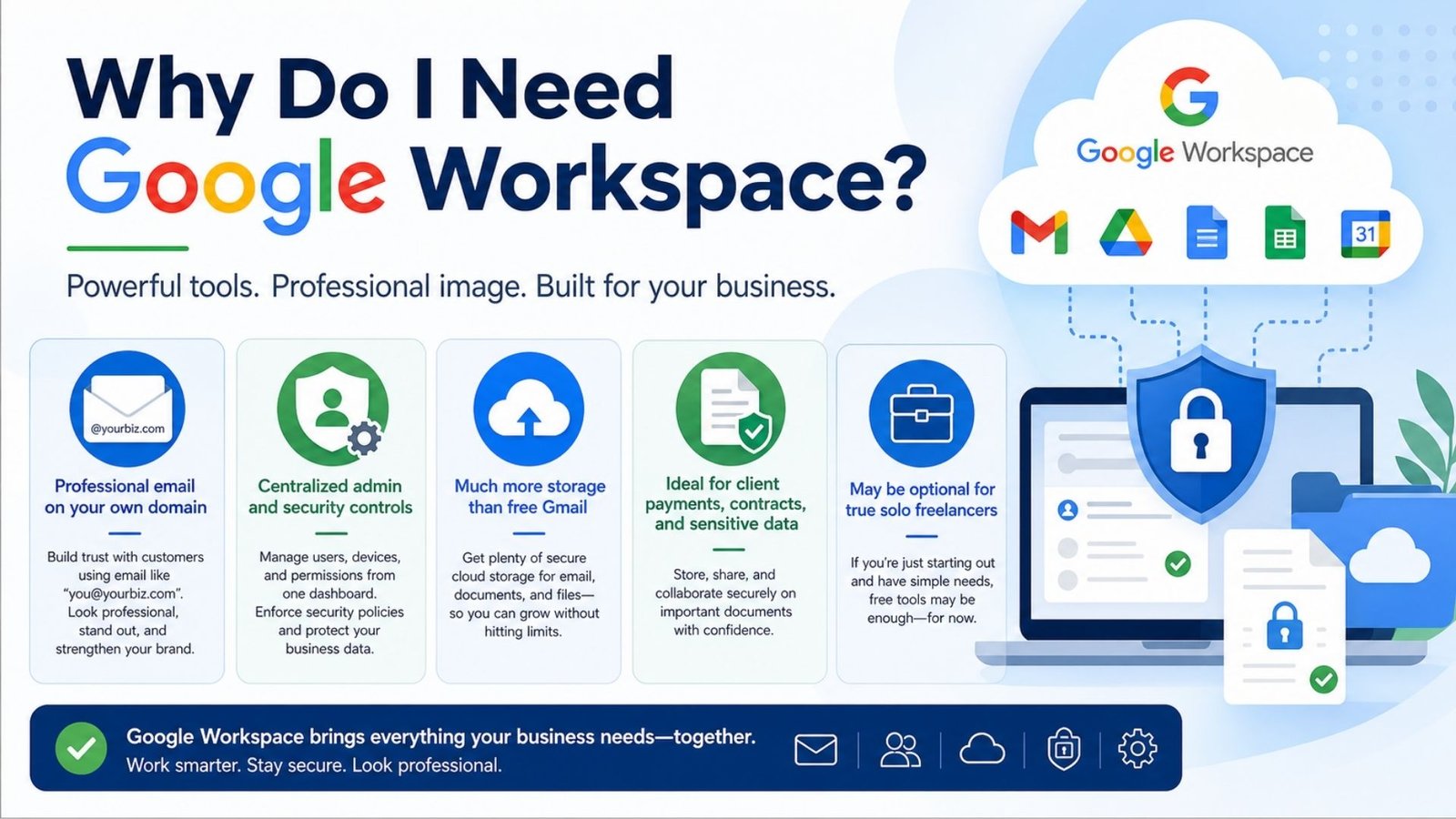
For a business taking client payments, handling contracts, or managing any kind of sensitive data, the added security controls and admin oversight alone tend to justify the cost. For a true solo freelancer with no employees and minimal storage needs, a paid plan may genuinely be more than necessary — though even then, the professional email address alone often tips the decision.
Google Workspace pricing 2026 reflects a real shift from the previous year. Business Starter now runs $7/user/month, Business Standard sits at $14/user/month, and Business Plus runs $22/user/month, with annual billing saving roughly 17% compared to paying monthly. The most significant change is that Gemini AI, previously a $20-30/user/month add-on, is now bundled directly into every Business plan at no extra cost.
The trade-off is that this bundling drove a 17-22% price increase across the board when it rolled out. For teams already planning to use AI features, the math works out favorably compared to paying for the old separate Gemini add-on. For teams with no interest in AI tools, it means paying more for a feature they may never touch.
The suite’s Google Workspace communication tools center on three connected pieces: Gmail for business email, Google Chat for team messaging and spaces, and Google Meet for video conferencing. What makes this combination genuinely useful rather than just three separate apps bolted together is how tightly they integrate — you can jump from a Chat conversation straight into a Meet call, or turn an email thread into a shared Doc without leaving Gmail.
Meet capacity scales with your plan, starting at 100 participants on Business Starter and reaching 500 on higher tiers, with features like live captions, real-time translation, and automatic recording available depending on tier. For distributed teams working across time zones, the recording and captioning features matter more than people expect going in — a meeting that gets automatically transcribed and captioned means nobody has to choose between attending live at an inconvenient hour and missing the discussion entirely.
Google Chat rounds out the picture by replacing the scattered email threads that used to pile up around quick internal questions. Spaces function similarly to channels in dedicated chat apps, letting teams organize conversations by project or department rather than everything funneling through a single inbox. Threaded replies keep discussions readable even when a Space gets busy, and file sharing inside Chat pulls directly from Drive, so nobody’s forwarding attachments back and forth or hunting for the “latest version” of a document buried in an email chain.
The real advantage over standalone communication tools isn’t any single feature — it’s that switching between modes of communication doesn’t require switching apps or losing context. A conversation that starts as a quick Chat message can escalate into a Meet call, get summarized in a Doc, and follow up as a calendar invite, all without anyone re-explaining what was already discussed. For teams evaluating whether to bolt on a separate tool like Slack or Zoom, that native integration is usually the deciding factor, since most third-party alternatives still require some manual bridging to keep Gmail and Calendar in sync.
A surprisingly common point of confusion is Google Workspace vs Google One, since both involve Google storage and subscriptions. Google One is a consumer product — extra storage for your personal Gmail, Photos, and Drive, with no business email, no admin console, and no team collaboration features. Google Workspace is the business suite, built around custom domain email, centralized user management, and collaboration tools designed for teams rather than individuals.
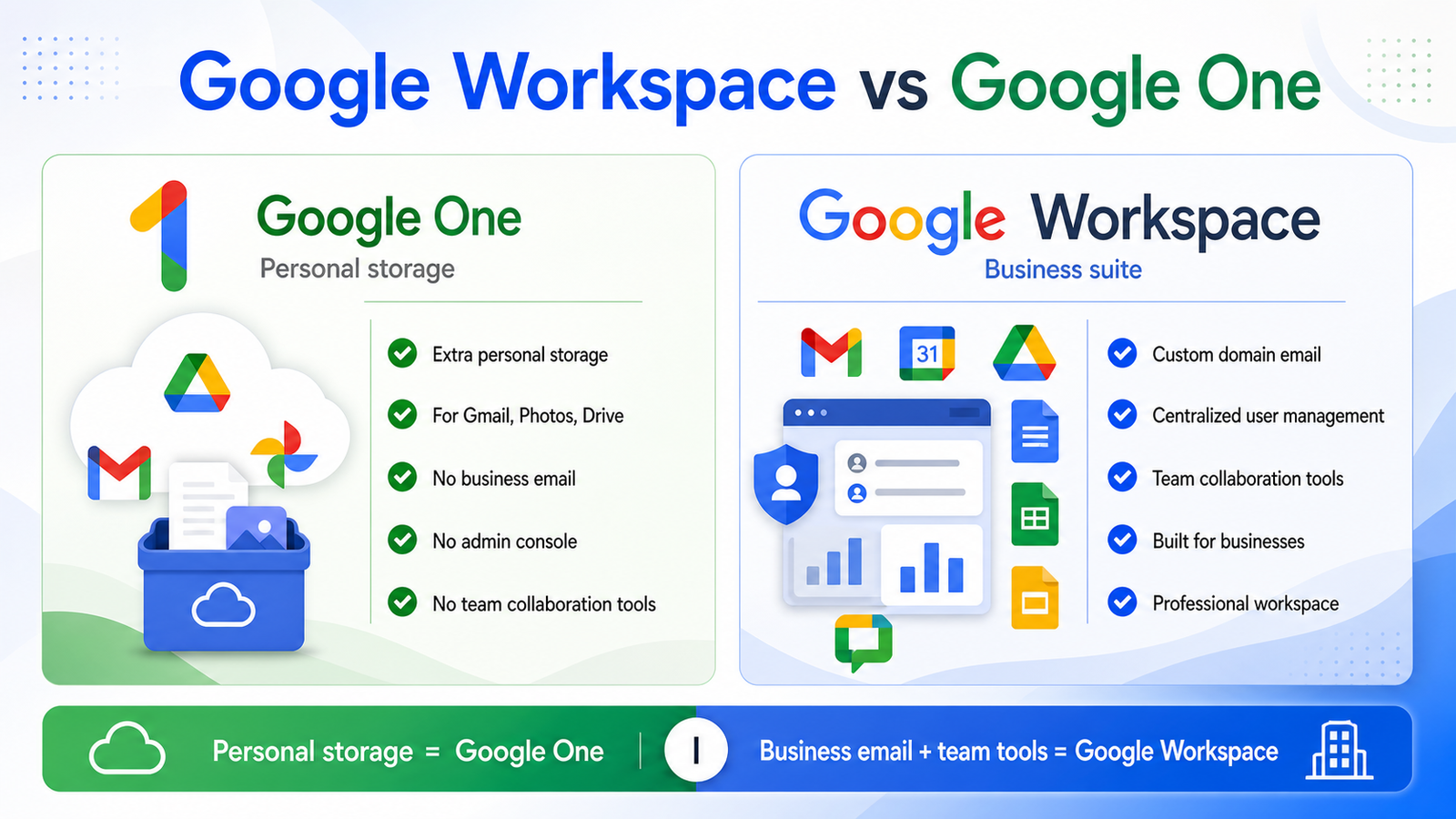
If you just need more personal storage for photos and personal files, Google One is the right (and cheaper) choice. If you’re running a business and need a professional email address plus team tools, Workspace is the one you actually need — the two aren’t really interchangeable despite the naming similarity.
For new admins, how to add a user in Google Workspace is one of the first tasks you’ll face, and it’s more straightforward than it looks. Here’s the process:
For onboarding several people at once, the Admin console also supports bulk upload via a CSV template, which creates every listed account in a single action rather than repeating the process manually for each person.
Larger organizations increasingly look into Google Workspace user management automation to cut down on manual admin work during onboarding and offboarding. This typically involves connecting Workspace to an identity provider through SCIM, or using the Admin SDK Directory API for custom automation if your team has development resources.
The practical benefit shows up most clearly during employee offboarding — automated deprovisioning ensures an account is disabled and access revoked immediately when someone leaves, rather than relying on an admin to remember to do it manually days later, which is a genuine security risk in fast-moving organizations.
A few practical Google Workspace optimization habits make a real difference for growing teams:
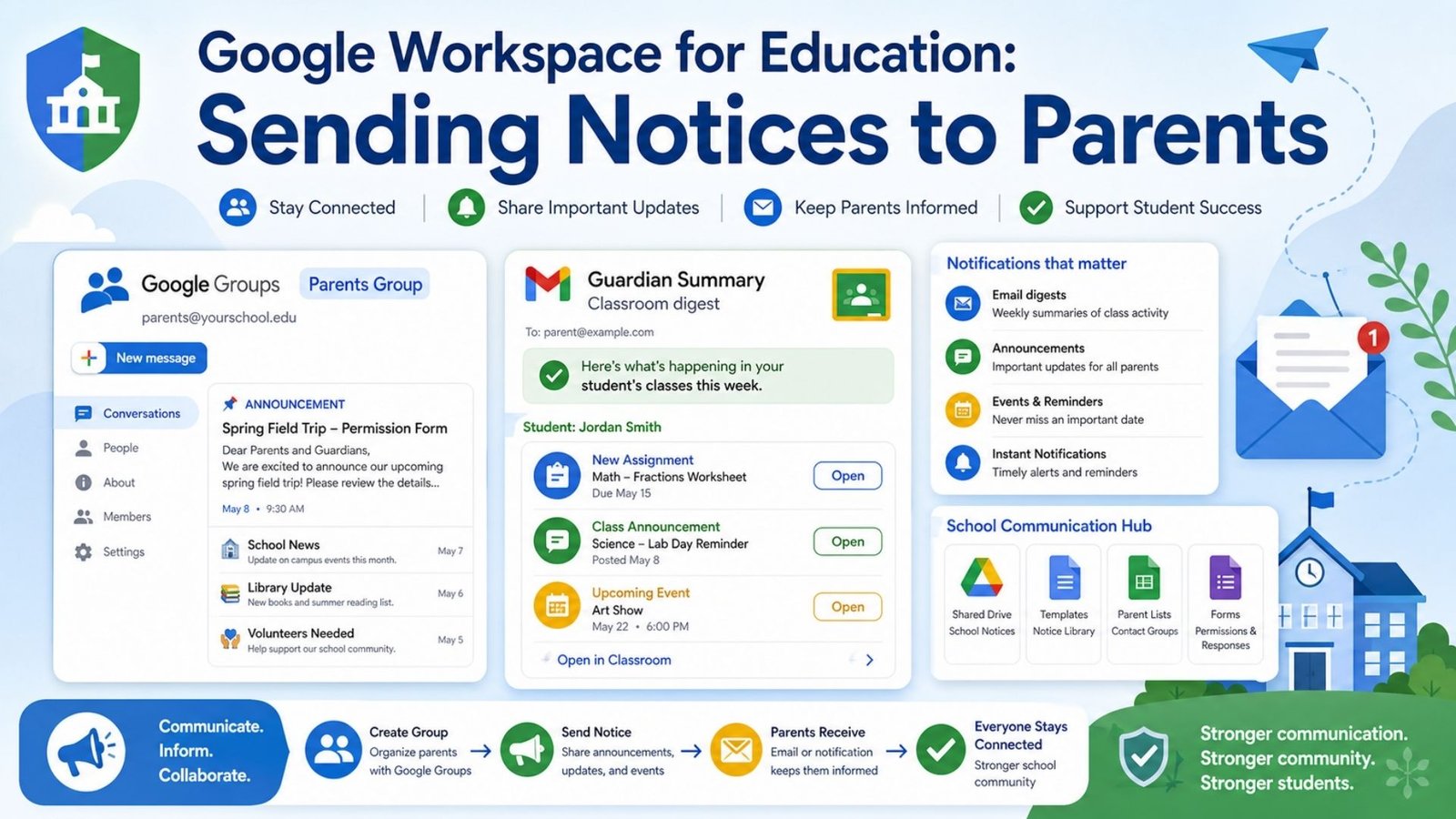
Schools using Google Workspace for Education often need a reliable way to handle Google Workspace for education notices to parents, typically through Google Groups or Classroom’s built-in guardian summary feature. Setting up a parent-facing Google Group tied to a class or grade level allows staff to send announcements without exposing individual student email addresses, while Classroom’s guardian summaries automatically email parents a digest of their child’s upcoming and missing assignments on a set schedule.
Understanding the Google Workspace primary buyer departments matters mostly for IT and procurement teams evaluating internal ownership. In most organizations, IT departments lead the initial purchase and admin console setup, given the security and user-management responsibilities involved. Operations and HR departments are frequently the ones pushing for the purchase in the first place, driven by onboarding efficiency and collaboration needs, while finance signs off on the annual contract commitment given the seat-based, lock-in pricing structure.
What works well:
Where it falls short:
Google Workspace tools remain one of the most complete, well-integrated productivity ecosystems available for businesses in 2026. The bundling of Gemini AI into every Business plan is a genuine improvement even with the price increase attached, and the admin and automation tools scale well as a team grows. The annual contract terms and rising costs are worth budgeting around carefully, but for teams that live in Gmail and Docs daily, it remains a smart default.
Free Gmail lacks a custom domain email address, admin controls, and the storage scale most growing businesses need — Workspace adds all three, plus centralized security management for a team.
Google One is personal storage for individual Gmail, Photos, and Drive accounts. Google Workspace is the business suite with custom email domains, admin controls, and team collaboration tools — they solve different problems entirely.
The Admin console supports bulk upload through a CSV template — fill in each employee’s details, upload the file, and Workspace creates every account in a single action.
Usually yes, primarily for the professional email address and centralized admin control. Business Starter at $7/user/month covers most small-team needs without requiring the higher storage tiers.