

Task management apps come and go, but Todoist has stuck around for over a decade for a reason. This Todoist app review looks past the marketing page and into what actually changed in 2026 — including a real price increase that caught longtime users off guard — to figure out whether it still deserves a spot on your phone’s home screen.
Short version: Todoist remains one of the cleanest, most reliable task managers available, but the free plan’s limits will push most serious users toward Pro faster than you’d expect.
Todoist is a task and project management app built around simplicity — you type a task, and natural language parsing figures out the due date, priority, and project placement from how you phrase it. It runs on a freemium model: Beginner (free), Pro, and Business plans, with the sync engine working reliably across every major platform, from desktop to mobile to browser extensions.
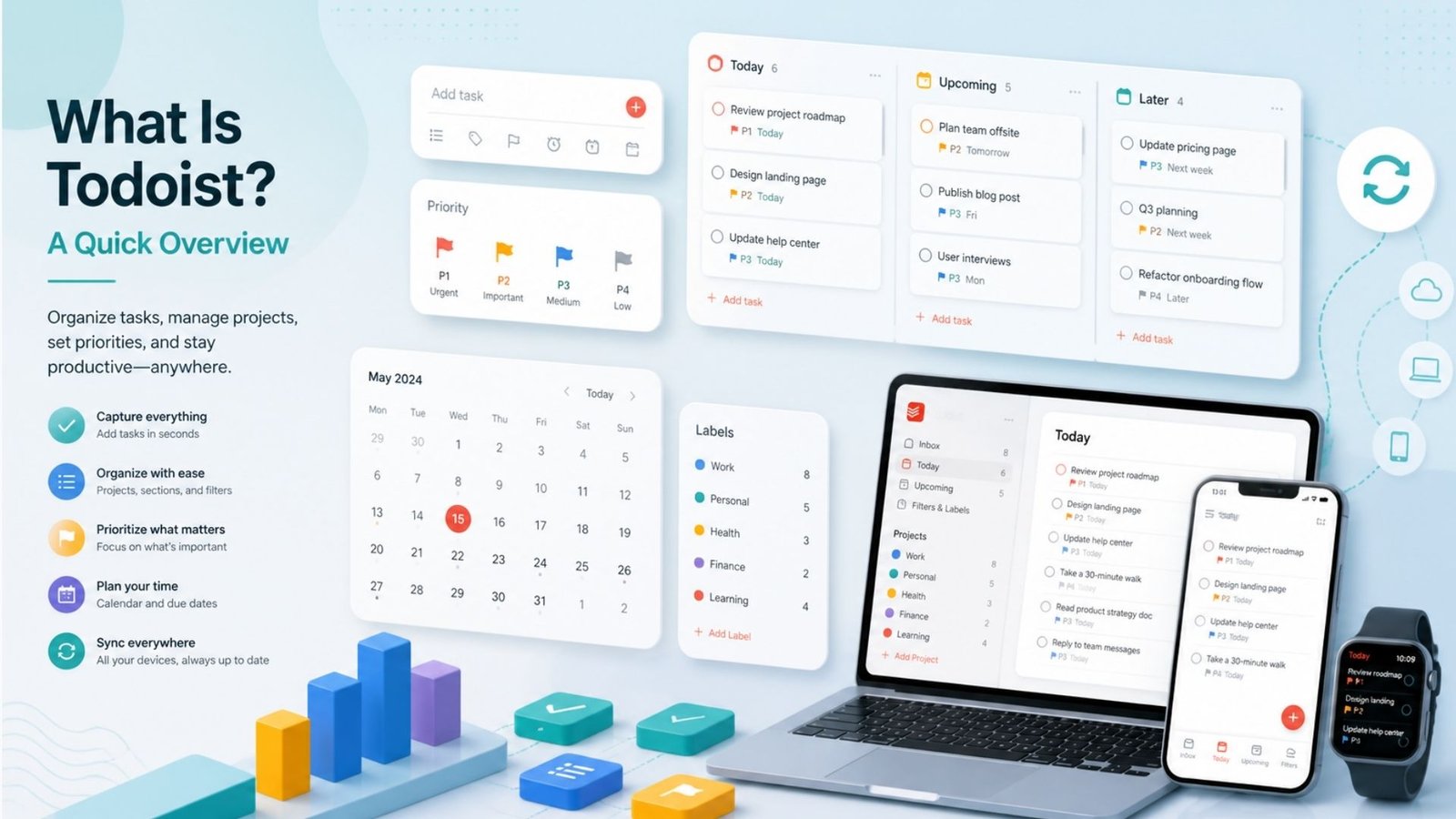
What’s kept it relevant against newer competitors is consistency. The core experience hasn’t changed dramatically over the years, which is either a strength or a limitation depending on whether you want a stable tool or one constantly chasing new features.
This is easily the most-searched question about the platform, so let’s break down Todoist free vs paid clearly. The free Beginner plan covers basic task management — five active projects, recurring tasks, and natural language input — with activity history capped at just one week.
Upgrading to Pro, priced at $5/month billed annually (or $7/month billed monthly), unlocks reminders, file attachments, a jump to 300 active projects, 25 collaborators per project, custom filters, and automatic backups. The Todoist premium vs free gap that surprises the most people is reminders — the free plan has no reminder system at all, which feels like a basic feature missing from a task app.
Worth noting: Todoist raised prices in December 2025 for the first time since 2022, with monthly billing jumping from $5 to $7. If you subscribed through certain app stores before that change and never manually switched plans, you may still be grandfathered into the older “Pro Legacy” pricing.
For casual users, the Todoist free plan genuinely holds up — five projects and recurring tasks cover a lot of simple, personal to-do list needs. The honest catch is that almost every regular user eventually hits one of two walls: either the five-project ceiling or the lack of reminders. Once either of those becomes a daily friction point, Pro tends to make sense pretty quickly at $5/month.
For anyone weighing Todoist as a business to-do list tool rather than a personal one, the Business plan ($8/user/month annually) adds team roles, permissions, centralized billing, and SOC 2 certification for compliance-conscious organizations. A five-person team on Business runs about $480/year, which sits on the more affordable end of the team task-management category.
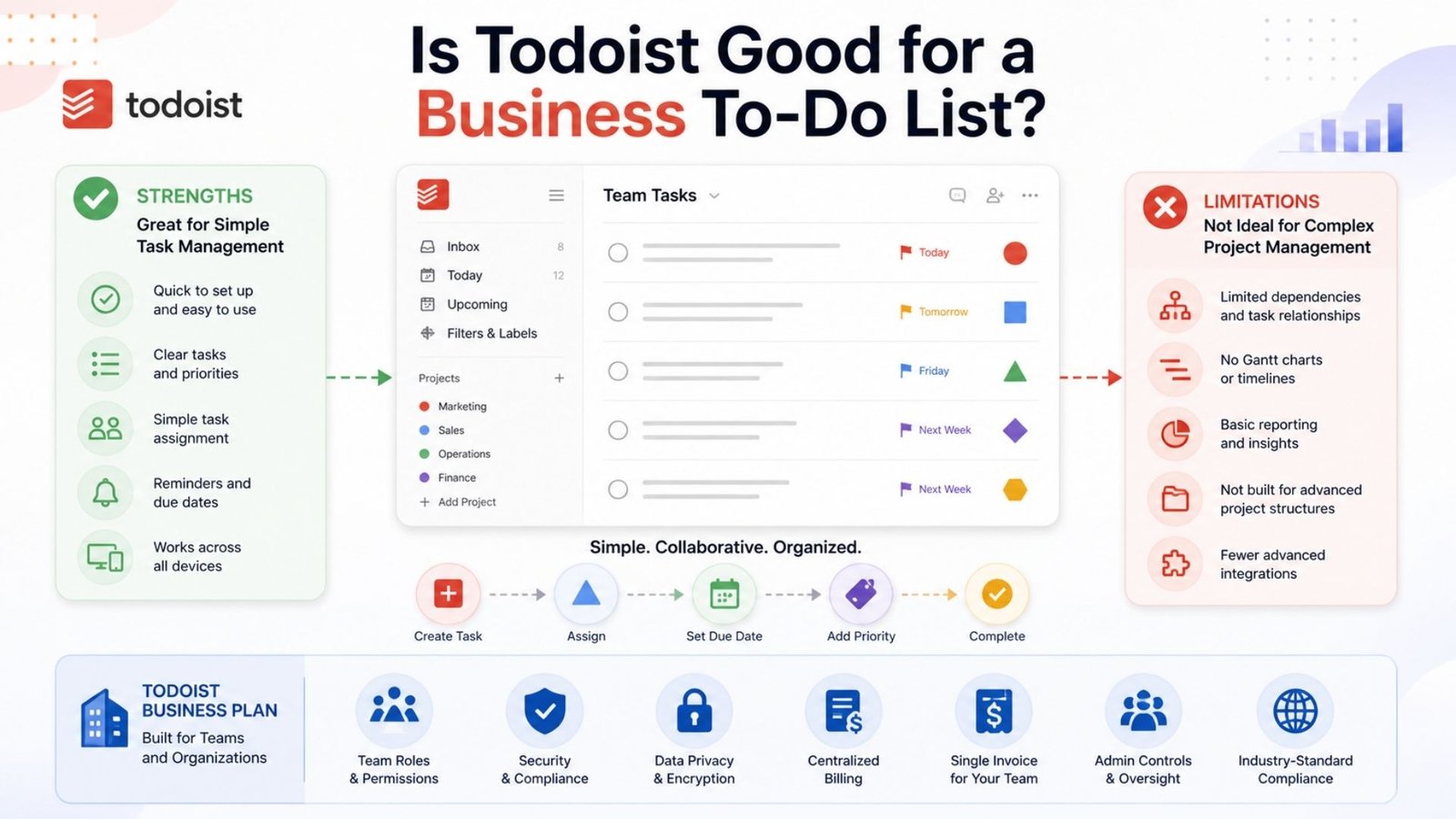
Where it can fall short for business use is depth — Todoist doesn’t offer the kanban boards, timeline views, or resource management that dedicated project tools like monday.com or Asana provide. For straightforward task assignment and tracking across a small team, it works well. For complex, multi-stage project management, it’s not really built for that job.
Todoist for students searches are common, and the free plan is a reasonable starting point for managing assignments, deadlines, and study schedules. Recurring tasks work well for weekly reading assignments or recurring study sessions. That said, there’s no standing public student discount as of 2026 — occasional educational program pricing shows up, but it’s worth checking Todoist’s own education page directly rather than assuming a permanent discount exists.
A common point of confusion for new users is figuring out how to view completed tasks after checking something off. Here’s the process: open any project, click the three-dot menu at the top, and select “Activity Log” or “Show completed tasks,” depending on your platform version. This shows a history of everything marked done within that project.
One limitation worth knowing if you want to see completed tasks further back: the free plan’s activity history only goes back one week. If you regularly review past completed work for reporting or personal tracking, Pro’s full reporting history removes that cap entirely.
Todoist repeating tasks are handled through natural language, which is genuinely one of the app’s strongest features. Typing something like “pay rent every 1st of the month” or “gym every Monday and Thursday” automatically creates a recurring schedule without touching a separate settings menu. You can adjust frequency, skip individual occurrences, or end a recurring task entirely from the task’s detail view at any time.
Sync issues are one of the more frustrating problems to run into, and why is Todoist not syncing is a common troubleshooting search. Before assuming something’s broken, work through these steps in order:
Most sync problems clear up with a simple restart, but persistent issues across multiple devices are worth reporting directly to Todoist support.
For Todoist time management, the app’s real strength is capturing and organizing tasks quickly rather than blocking out your calendar. Natural language input means you can add a task in seconds without breaking focus, and priority levels help you triage what actually needs attention today versus what can wait.
One honest limitation: Todoist doesn’t offer true time-blocking or calendar-view scheduling on its own. Most users pair it with a separate calendar app for that piece, using Todoist purely as the task capture and prioritization layer rather than a full time-management system.
Searching for a Todoist discount code is common, especially after the recent price increase. The safest way to save is through Todoist’s own annual billing option, which brings Pro down from $7/month to $5/month compared to paying monthly. Occasional promotional discounts do appear during events like Black Friday, but there’s no permanent, universal discount code — treat any third-party site claiming an exclusive code with caution, since annual billing already offers the most reliable built-in savings.
Whether Todoist qualifies as the best personal task management app depends on what you value most. Its cross-platform sync is fast and dependable, the natural language input is genuinely well built, and the pricing is straightforward with no confusing credit systems or add-on packs. Competitors like TickTick undercut it slightly on price while adding a built-in Pomodoro timer and habit tracker, and Microsoft To Do remains free entirely if you’re already inside the Microsoft ecosystem.
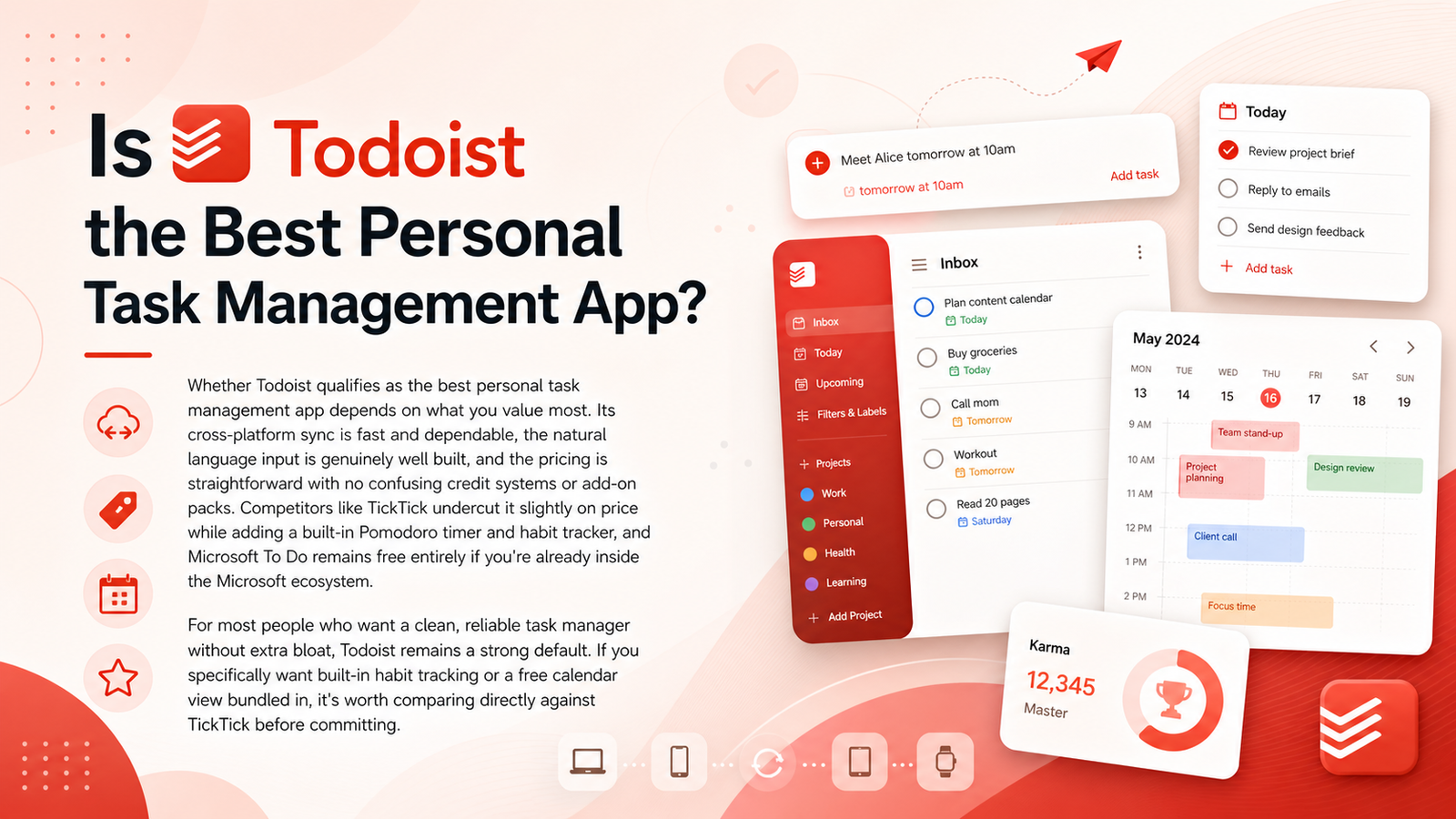
For most people who want a clean, reliable task manager without extra bloat, Todoist remains a strong default. If you specifically want built-in habit tracking or a free calendar view bundled in, it’s worth comparing directly against TickTick before committing.
What works well:
Where it falls short:
Todoist earns its long-running reputation by doing one thing well: getting tasks out of your head and organized quickly, without unnecessary complexity. The recent price increase stings a little, and the free plan’s limits will catch up with most regular users faster than expected, but at $5/month on the Pro plan, it remains one of the most dependable task managers available in 2026.
The free plan caps you at 5 projects with no reminders and only one week of activity history. Pro ($5/month annual) unlocks 300 projects, reminders, file attachments, and full reporting history.
Usually a connectivity issue or an outdated app version. Force-closing the app, checking your internet connection, and confirming you’re on the latest version resolves most sync problems.
No permanent universal code exists. The most reliable savings come from choosing annual billing over monthly, which brings Pro down from $7 to $5 per month.
No — the free plan limits activity history to one week. Viewing older completed tasks requires upgrading to Pro, which includes full reporting history with no time cutoff.