

If you’ve been shopping around for hosting and keep landing on comparison articles that all say the same three things, this Cloudways web hosting review is going to feel different. We’re not here to repeat marketing copy. We’ve dug through real pricing breakdowns, current benchmark data, and actual user feedback to figure out whether Cloudways still earns its reputation in 2026 — or whether the hype has outrun the product.
Short version: it’s genuinely one of the better middle-ground options between cheap shared hosting and expensive premium managed platforms. But “better” doesn’t mean “right for everyone,” and we’ll get into exactly who should skip it.
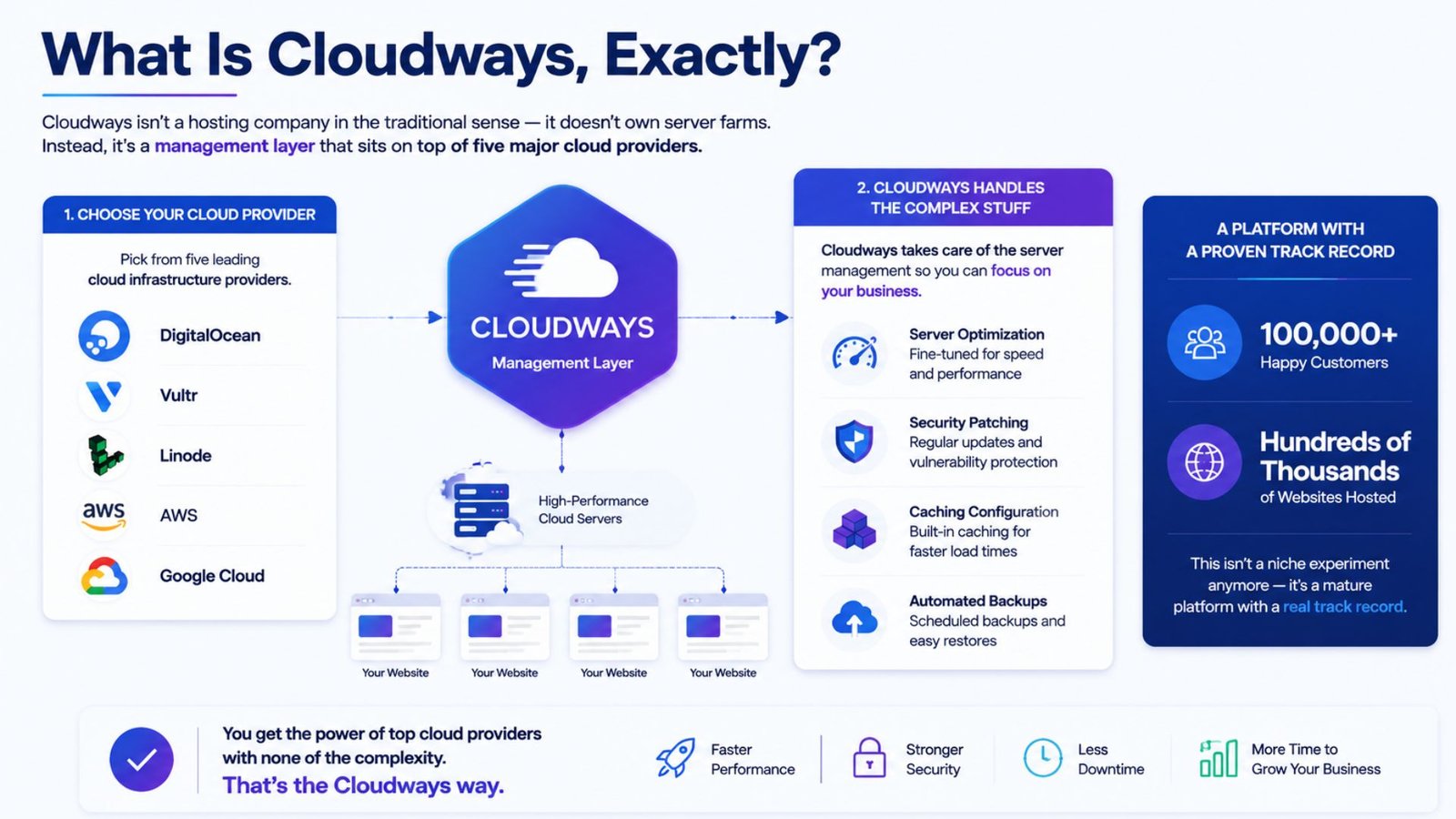
Cloudways isn’t a hosting company in the traditional sense — it doesn’t own server farms. Instead, it’s a management layer that sits on top of five major cloud providers: DigitalOcean, Vultr, Linode, AWS, and Google Cloud. You pick the underlying provider, and Cloudways handles the parts that usually require a sysadmin — server optimization, security patching, caching configuration, and automated backups.
The company now hosts hundreds of thousands of websites for well over 100,000 customers, which tells you this isn’t a niche experiment anymore — it’s a mature platform with a real track record.
Pricing is where most people either get sold or get scared off, so let’s be direct about it. Cloudways runs on a pay-as-you-go model, billed hourly and totaled monthly — there’s no three-year upfront contract like you’ll see with budget shared hosts.
Entry-level pricing generally lands around $11 to $14 per month depending on which cloud provider you choose, with DigitalOcean and Vultr sitting on the more affordable end. A small WordPress site running on a 1GB DigitalOcean server costs roughly $11/month, while a 2GB server capable of handling moderate traffic runs closer to $22-28/month. AWS and Google Cloud start noticeably higher, often around $36/month and up, since you’re paying for their infrastructure premium.
Here’s the detail a lot of comparison articles skip: Cloudways doesn’t charge per website. You can host multiple applications on a single server as long as your resources allow it. For an agency running ten client sites on a $46/month server, that works out to under $5 per site — a fraction of what per-site-priced platforms like Kinsta or WP Engine would charge for the same setup.
The tradeoff is real, though. Backup storage costs extra on some plans, and if you want Cloudways to handle WordPress core updates for you, that’s an additional paid add-on rather than something bundled in by default.
For anyone specifically searching Cloudways WordPress hosting, here’s what the actual setup process looks like. You choose your cloud provider and server size, pick WordPress as your application during deployment, and Cloudways provisions a fully configured server — caching, SSL, and a staging environment included — usually within a few minutes.
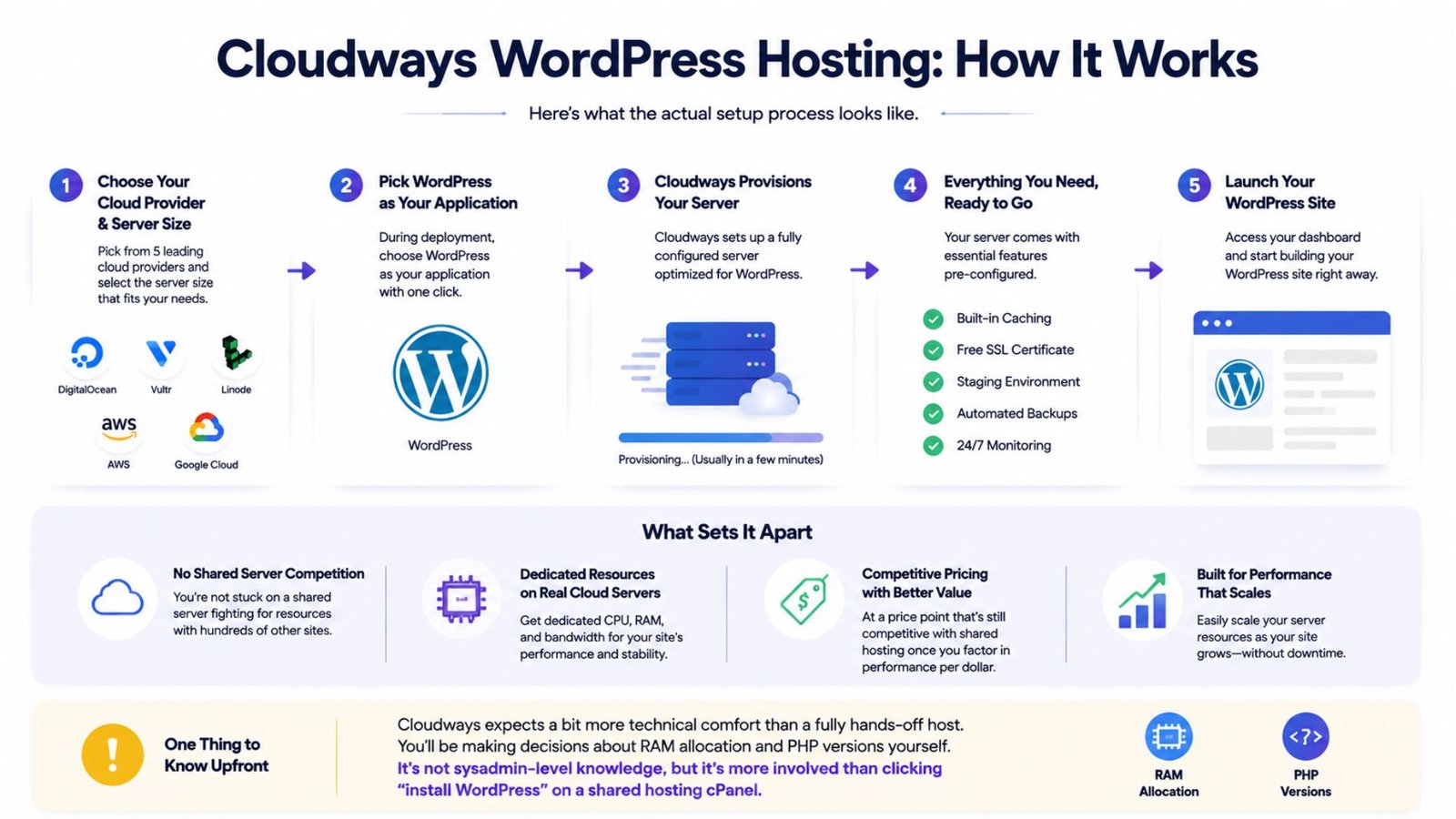
What sets it apart from a typical WordPress host is that you’re not stuck on a shared server fighting for resources with hundreds of other sites. You get dedicated resources on a real cloud server, at a price point that’s still competitive with shared hosting once you factor in performance per dollar.
One thing worth knowing upfront: Cloudways expects a bit more technical comfort than a fully hands-off host. You’ll be making decisions about RAM allocation and PHP versions yourself. It’s not sysadmin-level knowledge, but it’s more involved than clicking “install WordPress” on a shared hosting cPanel.
Whether Cloudways qualifies as the best cloud hosting for small businesses really depends on what “small business” means for your specific situation. If you’re running a single low-traffic brochure site, the setup complexity might be more than you need — a simpler managed WordPress host could serve you just as well for less hassle.
But if your business depends on site speed and uptime — an e-commerce store, a lead-generation site running paid ads, a SaaS landing page — the math changes fast. A $24-46/month Cloudways server on DigitalOcean or Vultr handles moderate traffic comfortably, at roughly one-half to one-third the cost of an equivalent single-site plan on Kinsta or WP Engine. For a small business watching margins closely, that gap matters.
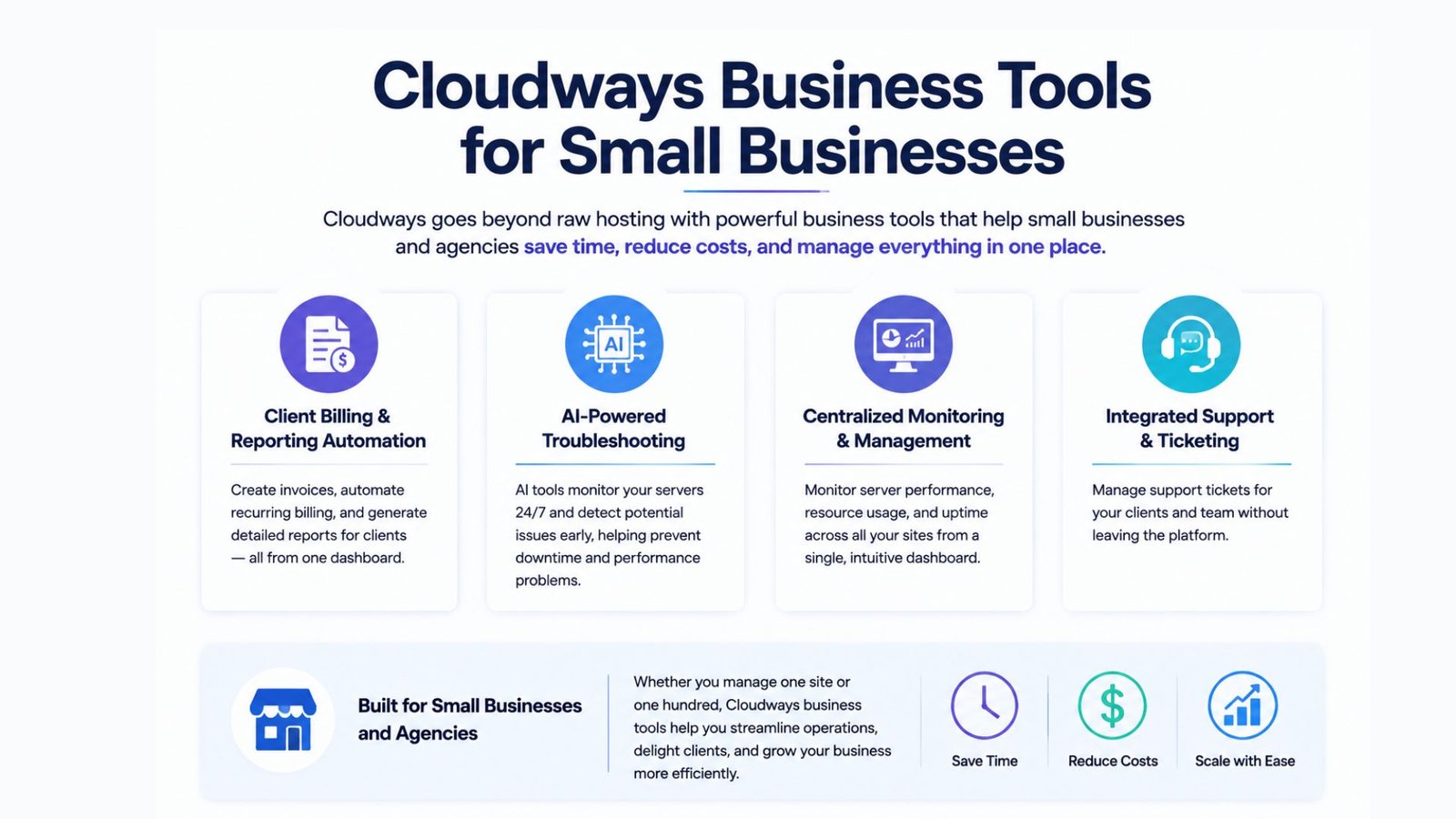
Beyond raw hosting, Cloudways business tools for small businesses now extend into areas that used to require separate software subscriptions. The platform has added client billing and reporting automation, useful for agencies managing multiple client accounts, along with AI-powered troubleshooting tools that flag server issues before they become downtime.
For a small agency or freelancer managing several client sites, these additions reduce the number of separate tools you’d otherwise need to juggle — billing software, monitoring dashboards, and support ticketing can increasingly live in one place instead of three.
The Cloudways Premium vs Standard question comes up constantly, and the honest answer is that it comes down to how hands-off you want to be. Standard-tier plans give you full control over server configuration and sizing — you’re making the calls on RAM, storage, and scaling decisions yourself.
Premium tiers, where available, shift more of that responsibility onto Cloudways, with faster support response times and more automated management baked in. If you’re technically comfortable and want to keep costs as low as possible, Standard is the better fit. If your time is worth more than the price difference, or you don’t want to think about server sizing at all, Premium closes that gap — at a real cost premium that’s worth comparing against your monthly budget before committing.
New users often ask about the best web hosting server recommended by Cloudways, meaning which of the five underlying cloud providers to choose. For most beginners, DigitalOcean strikes the best balance of price, performance, and simplicity — it’s the entry point most reviewers and Cloudways itself point newcomers toward.
If raw speed is your top priority, independent benchmarking has shown Vultr’s High Frequency servers edging out DigitalOcean on time-to-first-byte in recent testing. AWS and Google Cloud make more sense once you’re running a larger operation that needs deeper enterprise integrations — the cost premium isn’t worth it for a typical small business site.
Searching Cloudways developer hosting reviews turns up a pretty consistent theme: developers appreciate the control without the full weight of raw server administration. You get SSH access, Git integration, and staging environments — real developer tools — without needing to configure a server from a completely blank command line the way you would going directly through AWS or DigitalOcean on your own.
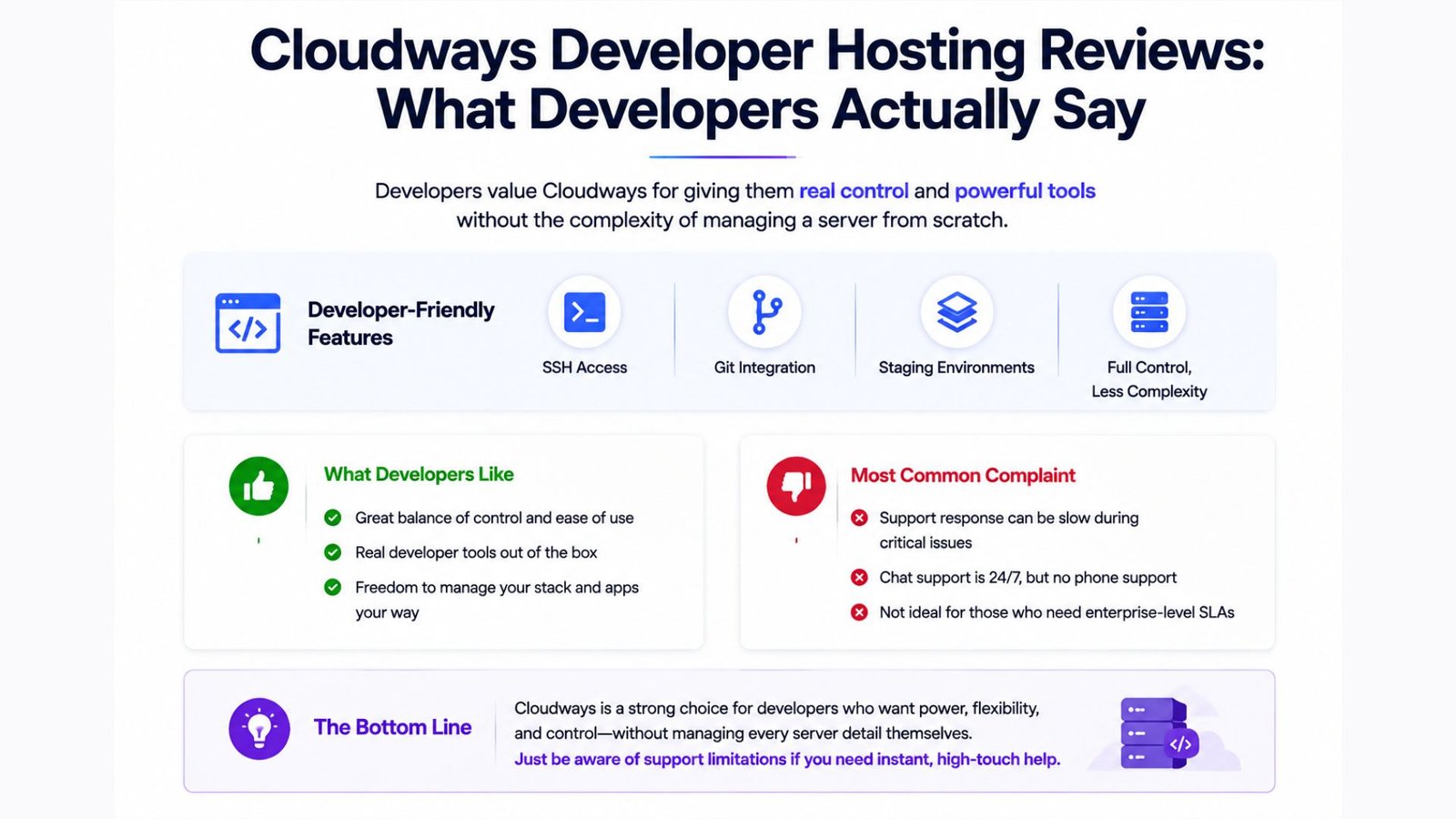
The most common complaint isn’t about the platform’s capability — it’s about support. Chat support is available 24/7, but there’s no phone line, and response times can slow down during a genuine technical emergency. For developers used to enterprise-level SLAs, that’s worth factoring in before you migrate a mission-critical application.
Cloudways sits in a genuinely useful gap in the hosting market — more power and flexibility than shared hosting, at a fraction of the cost of premium managed platforms like Kinsta or WP Engine. It’s not the right fit if you want a completely hands-off, one-click experience, and the lack of phone support is a real limitation if you’re running something business-critical. But for developers, agencies, and small businesses willing to learn the basics of server sizing, it remains one of the strongest value plays in cloud hosting heading into 2026.
DigitalOcean is generally the recommended starting point — it offers the most balanced mix of affordable pricing and solid performance, and it’s the provider most new users are steered toward during setup.
Yes. Cloudways WordPress hosting includes built-in caching, SSL, and staging environments, giving you dedicated server resources at a price closer to shared hosting than to premium managed WordPress platforms.
Standard plans put server sizing and configuration decisions in your hands, keeping costs lower. Premium plans hand more of that management to Cloudways with faster support, at a higher monthly cost.
It works for both, but the value is clearest for small businesses with real traffic or revenue on the line — e-commerce stores or lead-gen sites — where the performance-per-dollar gap versus premium hosts adds up quickly.