


Hostinger vs SiteGround is one of those comparisons that looks easy until you read the renewal prices. Both hosts offer fast WordPress hosting, both advertise tempting first-year deals, and both have loyal fans. But they’re built around different ideas of what a small website owner needs, and the bill you pay in year two can look very different from the one you saw at checkout.
This guide walks through plans, real costs, speed, features, and support in plain language, so you can pick the host that fits your site instead of the one with the flashiest banner.
Here’s the quick version before the details.
| Hostinger | SiteGround | |
|---|---|---|
| Best for | Budget sites, beginners, side projects | WordPress sites that need premium support |
| Entry plan (intro price) | Premium, $2.99/month | StartUp, $2.99/month |
| Entry plan (renewal) | $10.99/month | $17.99/month |
| Websites on entry plan | 3 | 1 |
| Caching | LiteSpeed | SuperCacher |
| Website builder | Yes, with AI tools | Not a main focus |
If you want the lowest long-term cost, Hostinger usually wins. If you want hands-on WordPress help and tools, SiteGround has the edge.
The real difference between these two hosts comes down to who they’re built for. Hostinger is aimed at people who want a working website at the lowest possible price. Its control panel, hPanel, is simple and clean, the plans are easy to understand, and extras like a website builder with AI tools, a free CDN, and quick WordPress setup are built in.
That’s why it’s popular with first-time site owners, freelancers, and small businesses watching every dollar. SiteGround takes a more premium approach. It focuses heavily on WordPress, with its own optimization plugin, staging tools, daily backups, and a support team that many users describe as knowledgeable and quick. You pay more for that, especially at renewal, but you also get a host that handles many technical jobs for you. Think of it this way. Hostinger gives you a solid, affordable apartment with the basics covered. SiteGround gives you a managed building with a helpful front desk. Neither is wrong, so the best choice depends on how much help you expect and how much you’re willing to pay for it. If you’re comfortable managing a few things yourself, Hostinger’s lower cost is hard to ignore, and if you’d rather hand off the technical side, SiteGround starts to look worth the premium.
Pricing is where most people make their decision, so let’s lay it out clearly. These are US prices from October 2026, and both companies change them from time to time.
| Plan | Intro price | Renewal price |
|---|---|---|
| Hostinger Premium | $2.99/mo | $10.99/mo |
| Hostinger Unlimited | $3.99/mo | $16.99/mo |
| Hostinger Cloud Startup | $7.99/mo | $25.99/mo |
| SiteGround StartUp | $2.99/mo | $17.99/mo |
| SiteGround GrowBig | $4.99/mo | $29.99/mo |
| SiteGround GoGeek | $7.99/mo | $44.99/mo |
Looking at the Hostinger price plans, the cheapest rates need a 48-month commitment paid upfront, so the monthly figure is really your total divided across four years. SiteGround’s intro price needs a 12-month prepay. Either way, the renewal jump is real. Hostinger Premium renews at $10.99, while the matching SiteGround StartUp renews at $17.99, and the gap widens on the higher tiers. A site that stays for three years on SiteGround’s entry plan pays far more than the $2.99 sticker suggests. Hostinger also gives you more on the cheapest plan, with room for three websites against SiteGround’s one. If you need unlimited sites, the Hostinger Unlimited plan still costs well below SiteGround GrowBig at renewal. The honest takeaway is simple. For budget-minded site owners, Hostinger costs less over time, and SiteGround’s higher price only makes sense if its support and WordPress tools are things you’ll actually use.
Both hosts are fast enough for most websites, and published tests vary a lot depending on location, theme, and plugins. Hostinger relies on LiteSpeed servers with built-in caching, which helps WordPress sites load quickly without much setup. SiteGround uses its own SuperCacher tools and its Speed Optimizer plugin to handle caching, image compression, and minification for you.
In practice, a lightweight site will feel quick on either one. Heavy sites with lots of plugins depend more on how well you configure caching, and SiteGround’s tools take some of that work off your plate.
Hostinger packs in extras. The Hostinger website builder lets beginners put together a site without WordPress, and its AI tools can draft layouts and text. If you outgrow shared hosting, Hostinger cloud hosting offers more power in the same dashboard, starting around $7.99 a month on the intro price.
SiteGround’s strengths sit on the WordPress side. Staging environments come on its higher plans, daily backups are included, and GoGeek adds Git integration and priority support for developers. In a recent SiteGround review for 2026, the most common praise was for those managed WordPress features, while the most common complaint was the renewal price.
Both hosts make setup easy, but the experience feels different. Hostinger’s hPanel is clean and quick to learn, with one-click WordPress installs and a guided setup that walks you through the first steps. A complete beginner can have a site online in under an hour without much trouble.
SiteGround uses its own Site Tools dashboard, which is also friendly but packs in more options, especially around caching, staging, and email. It’s a bit more to learn at first, though the extra control helps once your site grows. If you want the simplest start, Hostinger edges ahead. If you like having more settings within reach, SiteGround’s panel gives you that.
Backups matter more than most people expect, and the two hosts handle them differently. SiteGround includes daily backups on its plans, which is a real comfort if you update plugins often. On Hostinger, the entry plan offers weekly backups, while the higher plans move to daily ones, so it’s worth checking which tier you’re buying.
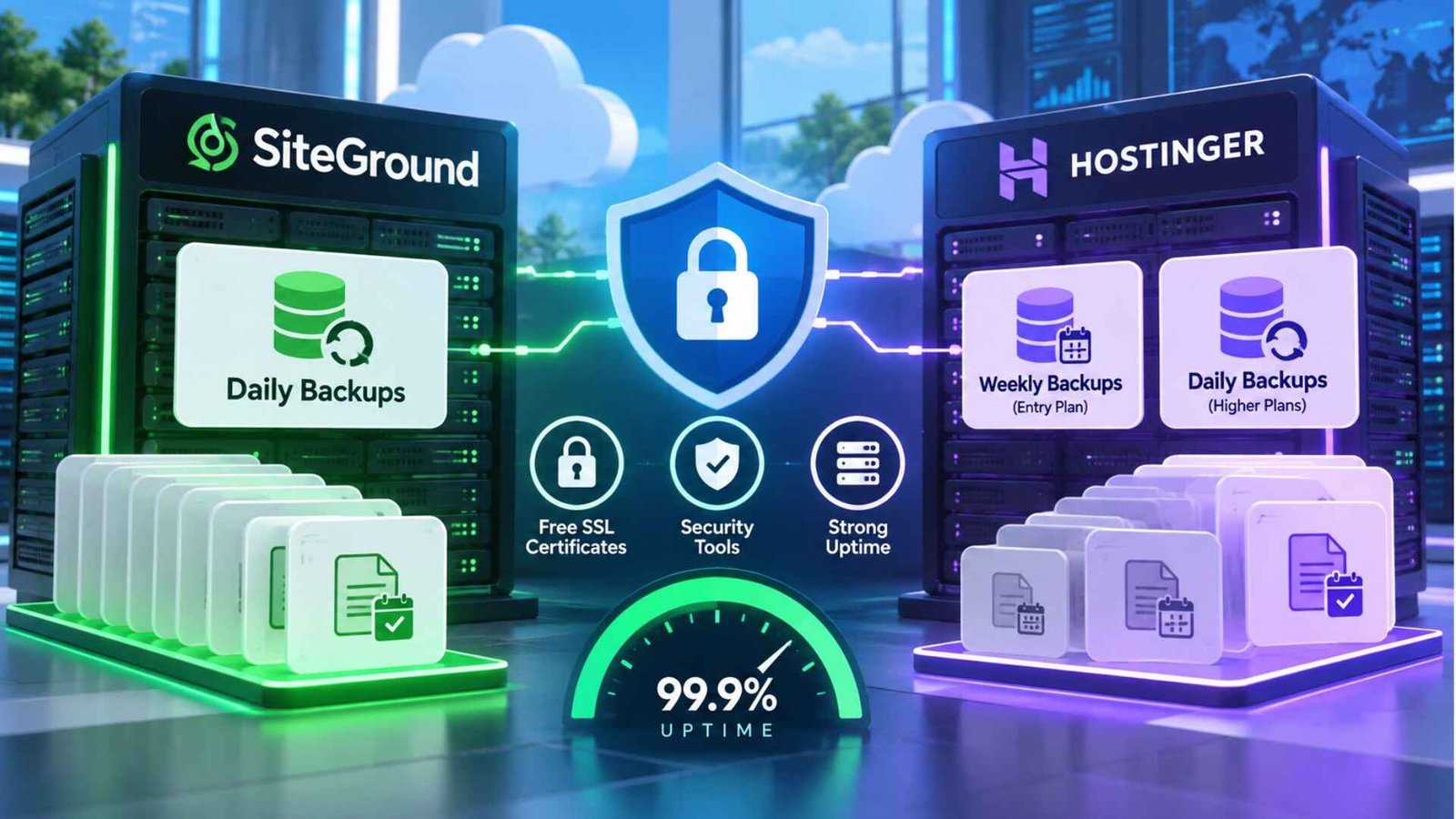
Both include free SSL certificates and basic security tools, and both advertise strong uptime. In the Hostinger vs SiteGround matchup, neither one is a risky pick for reliability, so backups and support usually matter more than uptime claims when you decide.
Support is where SiteGround gets its best reviews. Its team is known for fast replies and WordPress-specific knowledge, which saves real time when something breaks. Hostinger offers 24/7 live chat too, and most basic questions get answered quickly, though deeper WordPress problems can take more back and forth. If support quality is your top priority, SiteGround usually comes out ahead.
Keep the decision simple:
It depends on what you need. Hostinger is cheaper, especially over several years, and gives you more websites on its entry plan. SiteGround offers stronger support and more managed WordPress tools, but its renewal prices are noticeably higher.
Hostinger’s shared plans are Premium at $2.99 a month, Unlimited at $3.99, and Cloud Startup at $7.99 on a 48-month term, renewing at $10.99, $16.99, and $25.99. VPS plans are separate. Prices change, so check the official site.
On SiteGround, use the caching tools in Site Tools or the SG Optimizer plugin’s purge option. On Hostinger, clear the cache from the cache settings in hPanel or from your WordPress caching plugin. Menu names can change, so follow the current help guides.
Yes. Both hosts offer migration help, and SiteGround provides a free migration plugin for WordPress sites. Back up your site first, and keep the old host active until you’ve tested the new one.
The Hostinger vs SiteGround choice comes down to price versus polish. Hostinger gives you more for less and keeps costs manageable over time. SiteGround costs more but takes technical work off your hands. Check the renewal prices, think about how much support you really need, and pick the host that fits your site and budget.